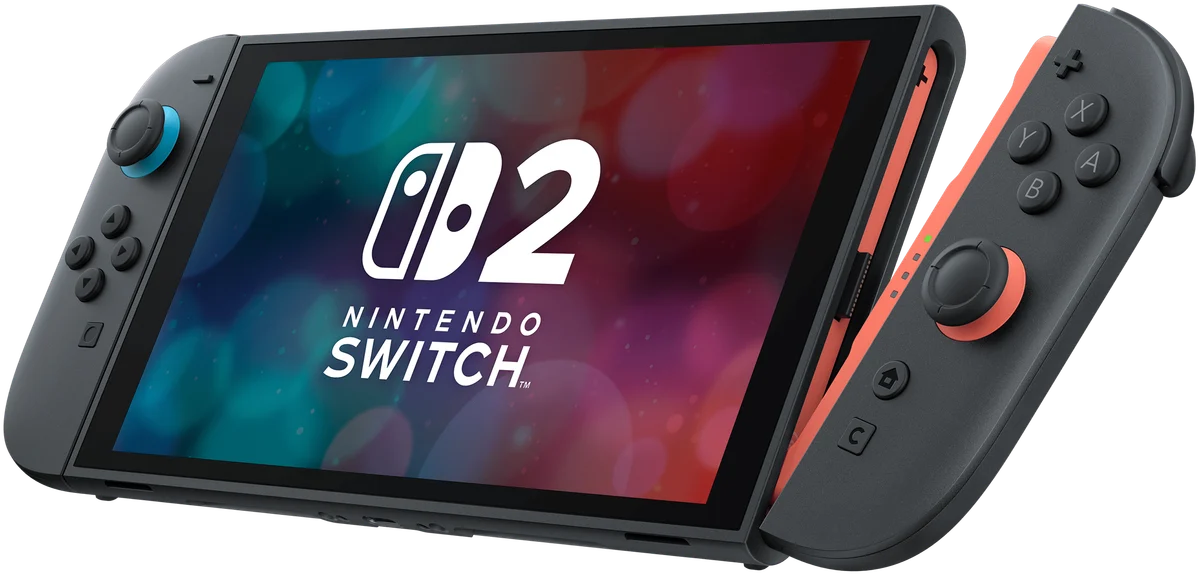
Choose Nintendo Switch 2 if…
The Nintendo games you want are the main reason to buy, and you value switching between portable and television play. Include games, online services and any additional storage in the budget.
Read the review roundup →Handheld gaming / Buying comparison
Choose between Nintendo Switch 2 and Steam Deck OLED by game library, handheld experience, compatibility, storage and total ownership cost.
By Next Interrupt · Analysis reviewed · 4 sources
Review roundups summarize published reviews; we haven’t tested these products. Links to retailers may earn us a commission. How we work
Our buying recommendation
Choose Switch 2 for Nintendo’s games and hybrid console play. Choose Steam Deck OLED for a compatible PC game library and its OLED handheld experience. The right library is more important than trying to declare one machine universally faster.
The Nintendo games you want are the main reason to buy, and you value switching between portable and television play. Include games, online services and any additional storage in the budget.
Read the review roundup →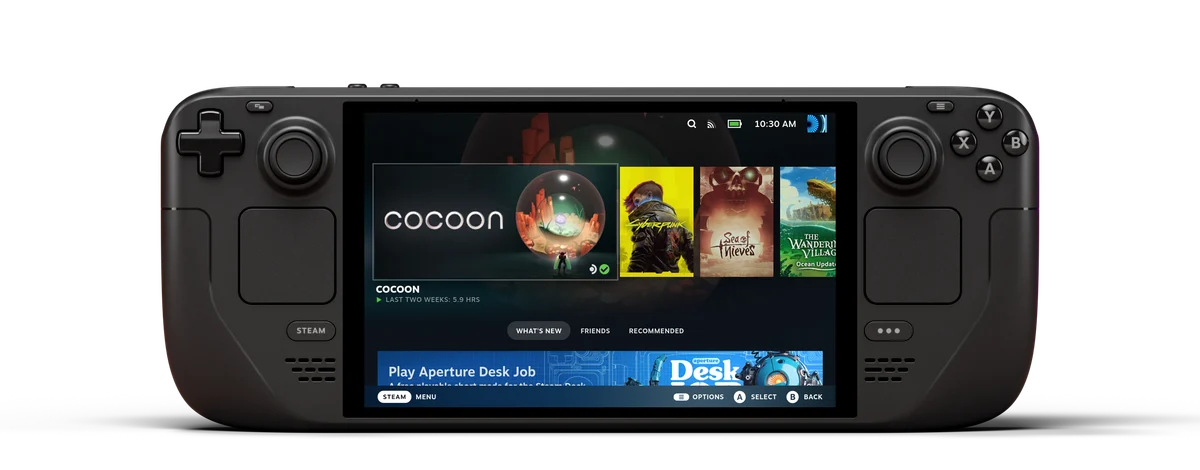
You already own or want PC games that work well on SteamOS. You value the OLED screen and handheld interface, and are willing to check compatibility before buying games.
Read the review roundup →Write down the games you expect to play in the first few months, then check each platform. Switch 2’s Nintendo library is its central attraction. Deck compatibility needs closer attention: a Verified label is a starting point, and some anti-cheat systems or demanding releases remain unsuitable. A powerful specification cannot make an incompatible game run correctly.
Sources: Tom’s Guide [1] · TechRadar [2] · TechRadar [3] · Tom’s Hardware [4]Switch 2 uses a larger LCD than its predecessor; Deck OLED’s screen is a major improvement to Valve’s portable experience. That does not imply that the OLED Deck is a major raw-performance leap over the original Deck. Nor do Switch 2’s maximum output specifications describe how every game actually runs.
Sources: Tom’s Guide [1] · TechRadar [2] · TechRadar [3] · Tom’s Hardware [4]This page compares the standard 256GB Switch 2 with the 512GB glossy-screen Deck OLED. Some Deck review samples use the 1TB etched-glass model, so those screens and offers should not be silently substituted. Switch 2 game-storage expansion requires microSD Express. Add the games and accessories you need before treating the lower sticker price as the cheaper option.
Sources: Tom’s Guide [1] · TechRadar [2] · TechRadar [3] · Tom’s Hardware [4]These are the exact configurations compared below. Retailer prices appear when a current matching offer is available; search links do not imply stock or a verified price. Benchmarks stay separate when their workloads or test conditions differ.
Standard console, 256GB; no game bundle
512GB glossy OLED; some cited tests use 1TB etched-glass model
Check your game library, subscriptions and compatibility first. Hardware specifications cannot establish that your games or anti-cheat systems will work.
No shared measurement establishes a winner for this priority. Use the reported features and review tradeoffs below to narrow the choice.
Nintendo games at home and on the move
Game, storage and subscription costs add up
Ordinary microSD cards are not equivalent to the Express storage required for expanded games.
Tom’s Guide ↗TechRadar ↗A larger LCD and higher output options do not make every game run at the maximum specification.
Tom’s Guide ↗TechRadar ↗Portable access to a compatible Steam library
Demanding games and anti-cheat compatibility limit use
Verified labels are a useful starting point; anti-cheat and demanding new games still need checking.
TechRadar ↗Tom’s Hardware ↗TechRadar’s extended use finds that some demanding games still struggle despite the improved screen; this is game-dependent experience.
TechRadar ↗Enter the prices you can buy at to compare the real premium. A launch price or a higher model number does not establish better value.
Specifications reported for every selected model. A difference does not automatically mean better.
Compare results from the same test and settings.
We don’t have matching benchmark results for these models yet. Compare their features and review findings above.
Some details are missing or differ between sources. Check them before buying.
We don’t have matching benchmark results for these models yet. Compare their specifications and review findings above.
This is our buying analysis of published reviews, not hands-on testing by Next Interrupt. Recommendations combine the cited findings with practical purchase considerations. Review samples may differ from the configurations offered by retailers; those differences are called out above and in the comparison. Read our methodology.
Help choosing
Key differences, review evidence and who should buy each model.