Monitors & TVs / Review roundup

Roku Pro Series OLED TV

65-inch model

Roku Pro Series OLED reviewed by Tom’s Guide
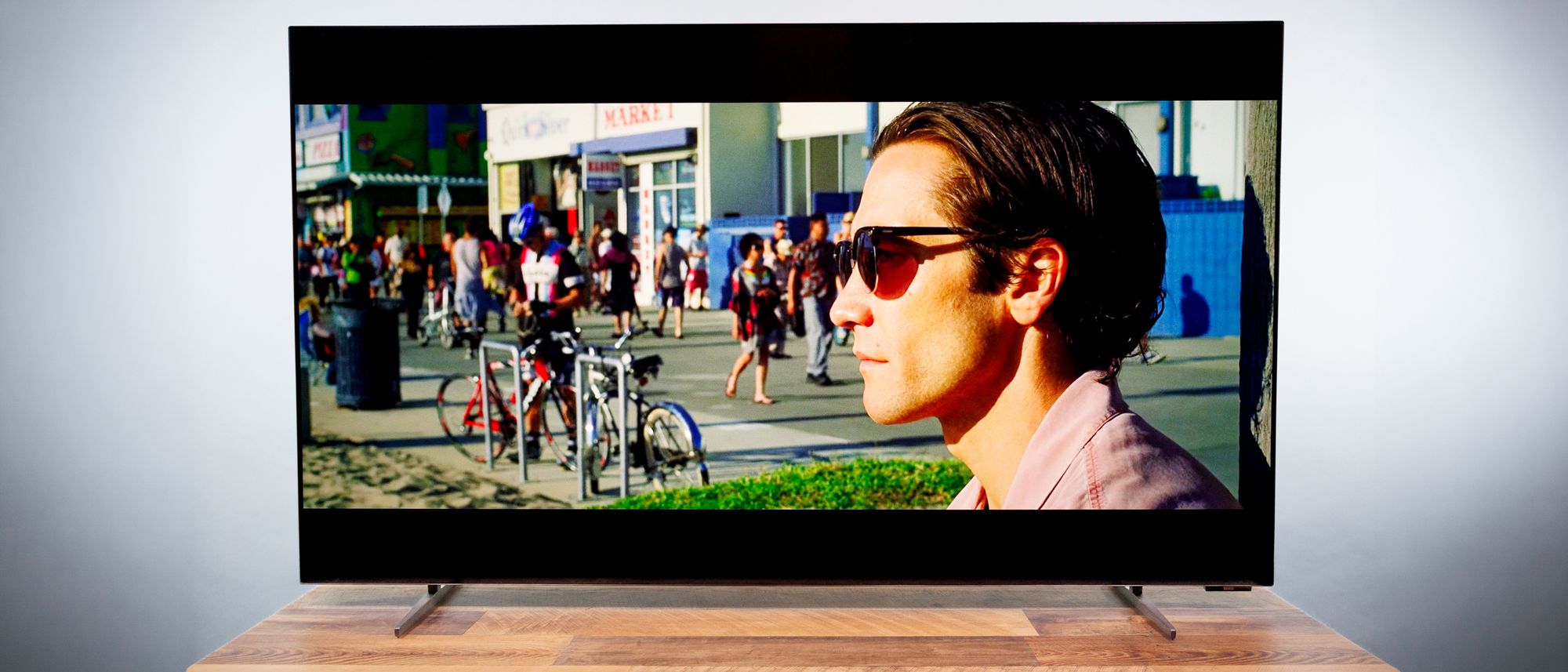
Image: Tom’s GuidePhoto from the review; 65-inch model

Roundup updated 2026-10-10 · Evidence from 2 review sources

What reviewers found

What the review evidence supports

TechRadar reports that the stand legs feature thumbscrews that allow setup entirely by hand without requiring tools, and they support two different mounting heights. TechRadar reports that Limited display brightness causes the television to struggle with reflections when placed inside bright rooms.

A roundup of published reviews; we haven’t tested this product. How we work

At a glance

Good for

TechRadar · Tool-Less Feet Installation

The catch

Limited display brightness causes the television to struggle with reflections when placed inside bright rooms.; The panel feels somewhat dim during dark content, which can be particularly noticeable in bright viewing environments.

Compare with Amazon Ember 4-Series with Fire TV →

Where to buy

Checking current prices…Check price at Amazon Product search

Affiliate links · We may earn a commission.

The combined review

2 cited review sources; 1 distinct evidence group after duplicate reporting and publisher ownership checks. This synthesis uses published evidence, not our own hands-on testing. Evidence checked 2026-10-10; this is not a new test date.

Performance in the reviewed workload

Tom’s Guide reports that the television does not include a dedicated Game Bar overlay, despite its effective automatic game mode. Tom’s Guide reports that A physical button on the TV triggers an audible beep on the backlit remote to help locate it when misplaced. Tom’s Guide recorded input latency at 9.1 ms. Publisher test table; resolution and refresh rate not specified. Do not merge with other protocols.

Tom’s Guide · 2026-10-08

Compatibility before purchase

TechRadar recorded hdr brightness, hdr dark at 462 nits. HDR Dark, the closest Filmmaker equivalent; 10% window. Firmware not reported. TechRadar recorded input latency, 4k 60hz at 9.1 ms. 4K 60Hz; Leo Bodnar 4K HDMI signal lag tester. Firmware not reported.

TechRadar · 2026-10-06

Screen and viewing conditions

Tom’s Guide reports that the panel feels somewhat dim during dark content, which can be particularly noticeable in bright viewing environments. Tom’s Guide reports that Tom’s Guide finds HDR brightness below the comparison TVs, making bright-room use a material tradeoff. TechRadar reports that TechRadar’s lower-brightness HDR Dark result applies to its test mode; it should not be treated as a conflict with another publication’s unspecified mode.

Tom’s Guide · 2026-10-08TechRadar · 2026-10-06

Screen and viewing conditions

Tom’s Guide recorded sdr brightness, 10% window at 331 nits. Publisher test table; SDR, 10% window. Mode and firmware not specified in the table. Tom’s Guide recorded hdr brightness, 10% window at 574 nits. Publisher test table; HDR, 10% window. Mode and firmware not specified in the table.

Tom’s Guide · 2026-10-08

Listening and noise control

Tom’s Guide reports that Gaming performance is responsive and fluid thanks to Auto Low Latency Mode, variable refresh rate, and FreeSync Premium. Tom’s Guide reports that the internal speakers direct sound into the wall, resulting in a somewhat muffled listening experience.

Tom’s Guide · 2026-10-08

What this evidence does not establish
  • The summarized evidence does not establish value and ownership costs.
  • Broader agreement across independent reporting has not been established.
  • SDR brightness, 10% window: some test-version or firmware details are not reported; do not infer a cross-review match.
  • HDR brightness, 10% window: some test-version or firmware details are not reported; do not infer a cross-review match.
  • Input latency: some test-version or firmware details are not reported; do not infer a cross-review match.
  • HDR brightness, HDR Dark: some test-version or firmware details are not reported; do not infer a cross-review match.
  • Input latency, 4K 60Hz: some test-version or firmware details are not reported; do not infer a cross-review match.

These are limits of the evidence, not findings that the product is weak in those areas.

Strengths and limitations

Pros

  • The stand legs feature thumbscrews that allow setup entirely by hand without requiring tools, and they support two different mounting heights.
  • Gaming performance is responsive and fluid thanks to Auto Low Latency Mode, variable refresh rate, and FreeSync Premium.
  • A physical button on the TV triggers an audible beep on the backlit remote to help locate it when misplaced.

Cons

  • Limited display brightness causes the television to struggle with reflections when placed inside bright rooms.
  • The panel feels somewhat dim during dark content, which can be particularly noticeable in bright viewing environments.
  • The television does not include a dedicated Game Bar overlay, despite its effective automatic game mode.
  • The internal speakers direct sound into the wall, resulting in a somewhat muffled listening experience.
  • Tom’s Guide finds HDR brightness below the comparison TVs, making bright-room use a material tradeoff.

PERFORMANCE

Benchmarks

5 tests

SDR brightness, 10% window

Higher is better · nits
Roku Pro Series OLED TV
331nits
0331 nits

This is the reviewed model’s measured result under the settings below.

Tom’s Guide · full test results ↗Published 2026-10-08 · checked 2026-10-10

65-inch model · Publisher test table; SDR, 10% window. Mode and firmware not specified in the table.

Result for this review’s tested model and settings. Other configurations and test setups can produce different results.

Test data and methodology
Average / reported measurements — nits
ProductResultTest scope
Roku Pro Series OLED TV331Reviewed model only

Bars start at zero. Results apply to the tested configuration and settings. Missing products are never assigned zero.

Individual review evidence

TechRadar · Tool-Less Feet Installation

The stand legs feature thumbscrews that allow setup entirely by hand without requiring tools, and they support two different mounting heights.

TechRadar

TechRadar · Dim Panel Prone to Glare

Limited display brightness causes the television to struggle with reflections when placed inside bright rooms.

TechRadar

Tom’s Guide · Dim HDR in Dark Scenes

The panel feels somewhat dim during dark content, which can be particularly noticeable in bright viewing environments.

Tom’s Guide

Tom’s Guide · Low Input Lag

Gaming performance is responsive and fluid thanks to Auto Low Latency Mode, variable refresh rate, and FreeSync Premium.

Tom’s Guide

Tom’s Guide · Missing Game Overlay

The television does not include a dedicated Game Bar overlay, despite its effective automatic game mode.

Tom’s Guide

Tom’s Guide · Muffled Built-in Audio

The internal speakers direct sound into the wall, resulting in a somewhat muffled listening experience.

Tom’s Guide

Tom’s Guide · Helpful Remote Finder

A physical button on the TV triggers an audible beep on the backlit remote to help locate it when misplaced.

Tom’s Guide

HDR room suitability

Tom’s Guide finds HDR brightness below the comparison TVs, making bright-room use a material tradeoff.

Tom’s Guide

Brightness and room lighting

TechRadar’s lower-brightness HDR Dark result applies to its test mode; it should not be treated as a conflict with another publication’s unspecified mode.

TechRadar

Measurements & observations

Compare the model and settings listed with each result.

Measurement · SDR brightness, 10% window

331 nits

Publisher test table; SDR, 10% window. Mode and firmware not specified in the table.

Tom’s Guide

Measurement · HDR brightness, 10% window

574 nits

Publisher test table; HDR, 10% window. Mode and firmware not specified in the table.

Tom’s Guide

Measurement · Input latency

9.1 ms

Publisher test table; resolution and refresh rate not specified. Do not merge with other protocols.

Tom’s Guide

Measurement · HDR brightness, HDR Dark

462 nits

HDR Dark, the closest Filmmaker equivalent; 10% window. Firmware not reported.

TechRadar

Measurement · Input latency, 4K 60Hz

9.1 ms

4K 60Hz; Leo Bodnar 4K HDMI signal lag tester. Firmware not reported.

TechRadar

Specifications

Check the exact screen size, panel, ports and warranty; results from one size may not apply to another.

TechRadar · 65-inch model

Screen type
OLED
Refresh rate
120Hz
HDR support
Dolby Vision, HDR10+, HLG
Audio support
Dolby Atmos
Smart TV
Roku
HDMI ports
4x HDMI 2.1 (1 eARC)
Built-in tuner
ATSC
TechRadar

Tom’s Guide · 65-inch model

Display
4K OLED
HDR Format
Dolby Vision, HDR10+
Refresh rate
120Hz
Connectivity
Wi-Fi 5, Ethernet
Ports
HDMI 2.1 eARC, 3 x HDMI 2.1, USB-C, USB-A, Cable/Antenna, Optical out
Tom’s Guide

Published reviews & comparisons

Tom’s Guide ·

Used for cited evidence

Tom’s Guide review ↗

Model and test details

I reviewed Roku’s new Pro Series OLED TV, and it’s one of the better budget OLEDs I’ve ever tried

Specification references

TechRadar — Roku Pro Series OLED TV review: an affordable way to OLED

Tom’s Guide — I reviewed Roku’s new Pro Series OLED TV, and it’s one of the better budget OLEDs I’ve ever tried

Alternatives to consider

ModelChoose it forThe catchCompare
Amazon Ember 4-Series with Fire TV1 reviewsTrusted Reviews · Voice IntegrationViewing angles degrade off-center, causing noticeable brightness drops, increased reflections, and paler colors.; Amazon's Action Smoothing processing is enabled across picture modes, including Filmmaker Mode, and cannot be completely turned off.Compare →
Xiaomi TV F Pro1 reviewsTrusted Reviews · Capable Built-in SoundMoving off-center causes a noticeable loss in picture quality, resulting in diminished brightness, washed-out image reproduction, and shifted colors.; Black levels are compromised and dark scenes expose lighter strips near the edges, reflecting inconsistent direct-lit LED backlighting.Compare →
Amazon Ember 2-Series with Fire TV1 reviewsTrusted Reviews · Clear Dialogue SoundstageLacking a dedicated game mode, the TV exhibits significant input latency and a slightly smeary image when paired with modern consoles.; Viewing off-center leads to notable degradation in contrast, color accuracy, and brightness, compounded by a reflective display finish.Compare →
LG C5 OLED1 reviewsCheck the exact model and your compatibility requirementsThe display suffers from noticeable screen glare in brightly lit rooms, which diminishes black levels and shadow details during dark scenes.Compare →
LG OLED65C61 reviewsTrusted Reviews · Quick Physical AssemblyAccessing any TV application on the platform now frustratingly requires users to create and sign in to an LG account.; The Filmmaker with Dolby Vision picture preset lacks automatic adaptive adjustments and exhibits unbalanced presentation even when manually enabled.Compare →
LG C6 48-inch (OLED48C6)1 reviewsWhat Hi-Fi? · Picture PerformanceThe TV's central pedestal stand extends outward awkwardly, which can interfere when placing a soundbar in front.; Enabling AI Sound results in an unnaturally synthetic audio profile, making standard audio settings preferable.Compare →
Samsung S95H1 reviewsTechRadar · Anti-reflection screenThe added silver FloatLayer frame can be visually distracting, widens the TV's footprint, and replaces the previous central pedestal with plastic feet.; In Filmmaker Mode during very dark movie scenes, shadow detail can be crushed and obscured to preserve deep blacks.Compare →
LG C5 OLED (55-inch)3 reviewsFilms and console gaming with OLED contrastDirect reflections and size-specific performance; newer C6 existsCompare →
See the best monitors & TVs guide →