Keyboards & peripherals / Review roundup
Logitech G Pro X3 SuperStrike
Logitech G Pro X3 SuperStrike
- RecommendedClub386
- RecommendedTom's Guide
- RecommendedTechRadar
Unrivaled click customization and refined balance make this an elite esports mouse, but the $200 price tag is steep.
Competitive FPS players seeking the lowest possible click latency and customized button travel will find the Logitech G Pro X3 SuperStrike hard to beat. Its primary strength is the inductive HITS switch system, which allows granular actuation and Rapid Trigger resets while resolving the front-heavy balance issue noted on its predecessor. However, the $199.99 price and iterative nature make it an unjustified upgrade for anyone who already owns the X2 Superstrike. Compared to rivals like the Razer Viper V4 Pro, Logitech provides deeper click adjustability and near-silent actuation, though Razer delivers a lighter shell for less money.
Buy it if
- Competitive FPS and MOBA players looking for customized hair-trigger clicks and rapid resets
- Gamers seeking a medium ambidextrous chassis with centered weight distribution
- Users who prefer quiet mouse clicks with customizable tactile haptic feedback
Skip it if
- You already purchased the Logitech G Pro X2 Superstrike and do not mind its front weight balance
- You require an onboard physical DPI toggle button or Bluetooth connectivity
- You are shopping on a strict budget under $150
Where to buy
We may earn a commission from purchases or qualifying sign-ups through our links. Affiliate links explained
What reviewers liked
- Haptic Inductive Trigger System (HITS) allows 10 actuation levels and 5 Rapid Trigger reset options
- Rebalanced internal layout fixes the front-heavy feel of the previous model
- Exceptionally low click latency measured down to 0.12ms at 1,000Hz and under 0.02ms at 8,000Hz by Club386
- Battery life rated up to 135 hours over 2.4GHz Lightspeed wireless
- Main clicks operate virtually silent while haptic motors simulate tactile feedback
What they didn’t
- Steep $199.99 asking price with minimal functional differences over the earlier X2
- No dedicated physical DPI switch on the mouse shell
- Lacks Bluetooth connectivity and productivity features like tilt-wheel or free-scrolling
Key specs
- Launch price
- $199.99
- Reported price
- $199.99
- Weight
- 59g advertised (58.2g measured by RTINGS)
- Sensor
- Logitech HERO 2 (100–48,000 DPI, 930 IPS, 90G acceleration)
- Switches
- Haptic Inductive Trigger System (HITS) analog switches
- Polling Rate
- Up to 8,000Hz (wired and 2.4GHz wireless)
- Battery Life
- Up to 135 hours at 1,000Hz (USB-C / Powerplay compatible)
- Connectivity
- 2.4GHz Lightspeed wireless, USB-C wired
- Buttons
- 5 programmable buttons
In depth
Feel and build quality
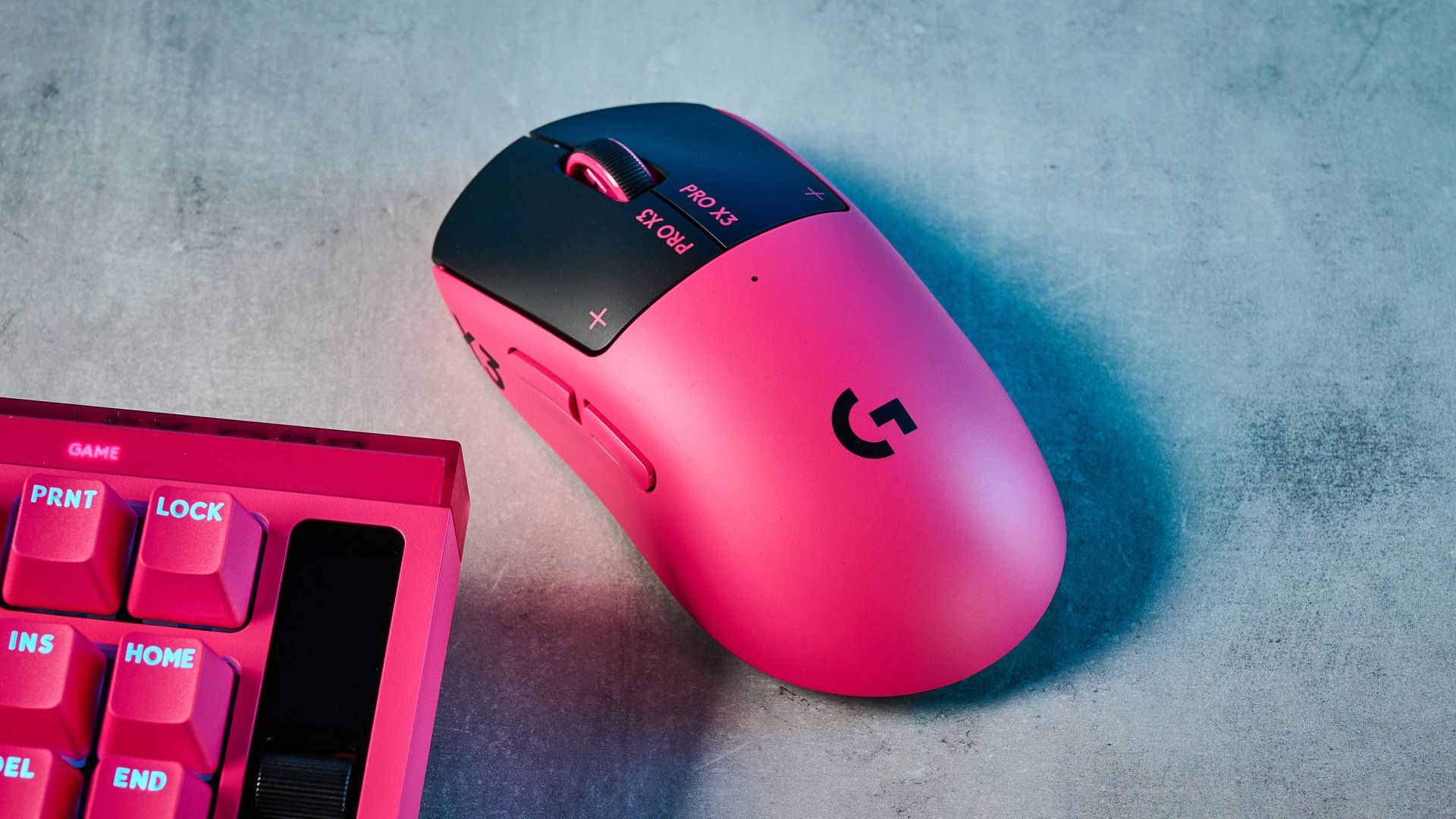
The Pro X3 SuperStrike retains the classic symmetrical profile seen across Logitech's flagship line, wrapped in a 0.7mm thin-wall composite shell. RTINGS recorded an actual weight of 58.2 grams, closely aligning with Logitech's 59-gram specification and trimming roughly 2 grams off the previous Superstrike. The most significant physical upgrade highlighted by Digital Foundry and RTINGS is the internal weight rebalancing. Where the X2 drew complaints from competitive players for feeling distinctly front-heavy, the X3 centers its mass, eliminating tilt during quick pick-ups and resets. Reviewers noted zero creaking or chassis flexing under pressure, and the underside is equipped with enlarged UHMWPE feet that glide smoothly across cloth and glass pads.
Performance (sensor, switches, latency)
Rather than standard mechanical or optical microswitches, the primary buttons utilize Logitech's Haptic Inductive Trigger System (HITS). By tracking button movement through electromagnetic induction, the mouse supports analog travel detection. Club386 measured click latency at 0.12ms under a standard 1,000Hz polling rate and below 0.02ms when pushed to 8,000Hz, marking the lowest results they have evaluated on their test rig. Tom's Guide reported that the combination of hair-trigger actuation and rapid reset delivered a full click per second increase in click-speed testing. Tracking is handled by an upgraded HERO 2 sensor pushing up to 48,000 DPI, 930 IPS tracking speed, and 90G maximum acceleration. Reviewers at RTINGS and TechRadar found tracking flawlessly consistent without smoothing or deviation across high-speed maneuvers.
Battery life and connectivity
Under the hood, the X3 adopts Logitech's newer NxLOGI microcontroller. TechRadar and Club386 highlighted this upgrade as a primary driver of power efficiency, extending advertised battery stamina to 135 hours at 1,000Hz—a 45-hour boost over the original Superstrike. RTINGS verified that the new chipset allows 8,000Hz polling over both 2.4GHz Lightspeed wireless and wired USB-C, resolving the wired 1,000Hz ceiling found on the X2. Running the mouse at 8,000Hz will drain the battery substantially faster, though it supports continuous charging through Logitech Powerplay pads. As with previous Pro mice, there is no Bluetooth mode or multi-device switching, underscoring its esports-specific design.
Software and customization
Customization is handled through Logitech G HUB, which unlocks parameters rare in standard gaming mice. Because the buttons operate inductively without mechanical contact leaves, users can adjust primary click actuation depth across 10 levels, configure Rapid Trigger reset points across 5 steps, and adjust tactile feedback through 6 haptic vibration intensities. Tom's Guide praised this flexibility, explaining that players can dial in immediate hair-trigger clicks for tactical shooters like Counter-Strike 2, or increase actuation depth and tactile feedback to prevent misclicks during daily tasks. The main frustration raised by Tom's Guide and Club386 is the total lack of a physical DPI button on the mouse itself, forcing users to toggle sensitivity via software profiles or assign DPI shifts to side buttons.
Comfort for long use
Logitech sticks to its universally recognizable medium, ambidextrous shell shape. RTINGS found the neutral hump and balanced proportions comfortable across palm, claw, and fingertip grips for small through large hands. The surface coating offers dependable grip during long sessions without attracting heavy residue, and the near-silent physical actuation reduces hand fatigue from mechanical bottom-outs. The only caveat noted by reviewers is that while the shell curvature is ambidextrous, side buttons are situated only on the left rail, meaning left-handed gamers cannot access thumb navigation. Users looking for an ergonomic right-tilted contour will also find the mouse very neutral compared to dedicated right-hand shapes.
Price
The Logitech G Pro X3 SuperStrike launched at $199.99 (£169.99 in the UK) and remains at that MSRP across major retailers. Reviewers across TechRadar, Digital Foundry, and Club386 agree that while it is an exceptional technical performer, the price is high given that it succeeded the X2 Superstrike only seven months later. For shoppers upgrading from older mice like the first-generation Superlight, the latency improvements, weight balance, and inductive switches offer a noticeable bump, but for anyone who recently purchased the X2, the modest updates do not justify spending another $200.
Is it worth the money?
Selling at its launch MSRP of $199.99, the X3 is one of the most expensive esports mice on the market. It commands a premium for its analog inductive switches and 8K polling, though it delivers diminishing returns if you already own an X2.
Also consider
- Razer Viper V4 Pro
Lighter at 49 grams with a lower price tag, though it relies on standard optical switches without adjustable actuation travel.
- Logitech G Pro X Superlight 2
Offers the same core shape and proven optical-mechanical switches at a significantly lower street price for players who do not need analog triggers.
- SteelSeries Rival Pro
Provides a dedicated right-handed ergonomic shell, 8K ultra-wideband wireless, and a hot-swappable dual battery system.
- Endgame Gear OP1 8k v2
A budget wired model built specifically for claw grip that matches the sub-millisecond click latency for less than half the cost.
Reviews we read
This roundup summarizes professional reviews and published specifications; Next Interrupt did not test the product. Roundup updated October 28, 2026. How we work