Reviews / Monitors & TVs Monitors & TVs / Review roundup
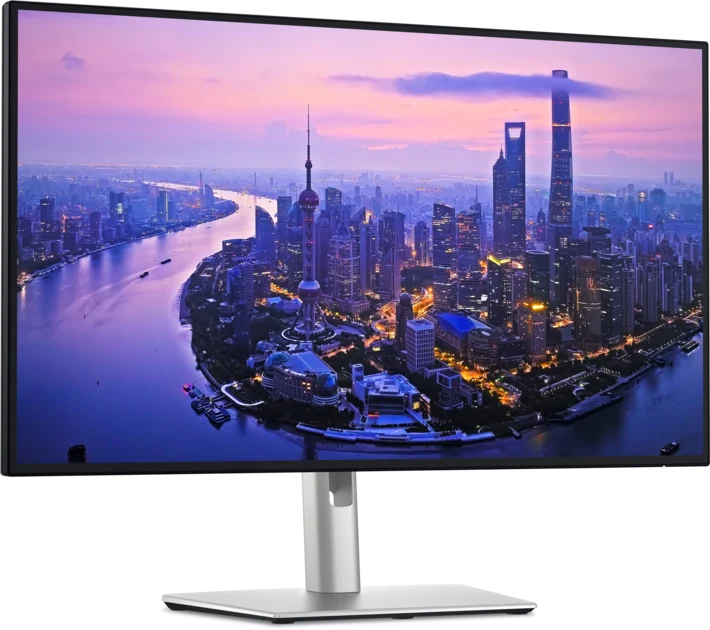
Dell UltraSharp U2725QE 27-inch 4K IPS Black office monitor
Image: Dell Sources checked 2026-10-10 · Evidence from 2 review sources
What reviewers found
A desk upgrade for work, not an HDR showcase Sharp 4K text, a smoother 120Hz refresh rate and a Thunderbolt hub make this Dell a practical office monitor. It is especially appealing when one screen needs to double as a laptop dock. The limited HDR performance means an OLED makes more sense if games and films are the priority.
How we work
Pros & cons Benchmarks In depth Measurements & observations Specs Sources Alternatives What reviewers found Performance High pixel density favors text and detailed work. Scaling preferences still depend on viewing distance. The reviewer reported distracting inverse ghosting with High overdrive and uneven backlighting. These observations matter for gaming and color-critical work.
RTINGS · source date not provided Expert Reviews · 2025-08-15
Display Heat and noise Strengths and limitations Pros Sharp office text Versatile laptop hub Cons High office-monitor cost HDR and motion limitations More from the reviews What RTINGS found RTINGS finds excellent office text clarity but describes blurred motion and weak local dimming; these are its qualitative verdicts.
RTINGS Full measurements and test details Measurements & observations Compare the model and settings listed with each result.
Measurement · DCI-P3 gamut coverage
97% Expert Reviews measured sample; firmware and precise preset not supplied alongside the gamut result.
Expert Reviews Measurement · sRGB gamut coverage
100%
Expert Reviews Measurement · Adobe RGB gamut coverage
94%
Expert Reviews Measurement · SDR brightness, Display P3
408 nits Display P3 mode; cd/m2 equals nits.
Expert Reviews Measurement · HDR brightness, DisplayHDR 600
659 nits HDR, DisplayHDR 600 picture mode; cd/m2 equals nits.
Expert Reviews Specifications Check the exact screen size, panel, ports and warranty; results from one size may not apply to another.
Hardware & configuration
Size 27 inches
Panel IPS Black
Resolution 3840 × 2160
Refresh rate 120 Hz
Primary role Office / productivity
Laptop connection Thunderbolt 4 RTINGS Expert Reviews Features & compatibility
Power delivery claim Up to 140 W; compatible laptop required
Device sharing KVM functionality
Stand Height, tilt, swivel and pivot adjustment
HDR caution Limited local-dimming performance
Model distinction Not the older U2723QE RTINGS Expert Reviews Before you buy Verify your laptop’s Thunderbolt and charging compatibility. Published reviews & comparisons Expert Reviews · Aug 15, 2025
Source review
The office display and integrated hub suit a work desk; the premium is easier to justify if the connections replace a separate dock.
Model and test details U2725QE office monitor and integrated hub review
RTINGS
Source review
Sharp office text and hub functions are strengths. Motion blur and local dimming limit gaming and HDR appeal.
Model and test details 27-inch U2725QE; office, motion and HDR evaluation
Specification references RTINGS — 27-inch U2725QE; office, motion and HDR evaluation
Expert Reviews — U2725QE office monitor and integrated hub review
Alternatives to consider Model Choose it for The catch Compare
KYY X90G Quad Portable Monitor 1 reviews Mac users who want three extra screens for documents, chat and coding at a temporary desk, then fold the setup away. The frame weighs 2.9kg, and macOS needs SiliconMotion InstantView. Macworld also had to power both the screens and its MacBook Pro for smooth operation. Compare →