Wi-Fi & networking / Review roundup
Netgear Nighthawk RS150
Netgear Nighthawk RS150
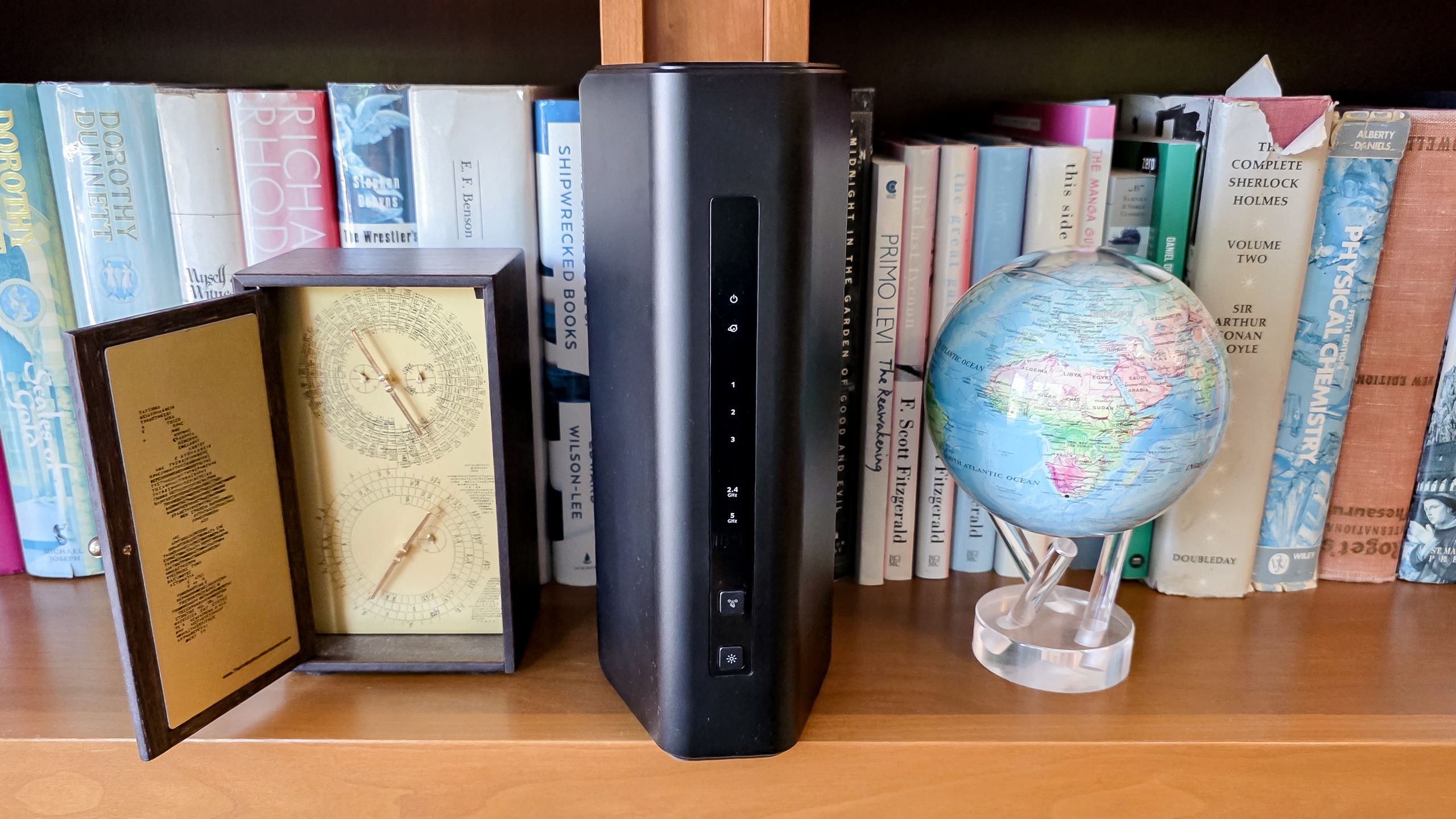
- RecommendedTom's Guide
A capable budget Wi-Fi 7 router that delivers strong mid-range speed and cool operation for under $200
The Netgear Nighthawk RS150 is ideal for apartments and medium-sized households wanting fast, modern home networking without spending flagship money. Its standout strength is exceptional throughput at medium distances, sustaining over 1 Gbps at 50 feet in Tom's Guide's testing. The primary trade-off is that it cuts corners on full Wi-Fi 7 specs: it omits the 6 GHz spectrum, 320 MHz channels, and Multi-Link Operation (MLO), while gating long-term support and security behind pricey subscriptions. Compared to the cheaper TP-Link Archer BE3600, the RS150 delivers markedly faster wireless speeds and longer reach, making it well worth the moderate price bump.
Buy it if
- Medium homes and apartments up to 2,250 square feet needing consistent 1 Gbps speeds across rooms
- Homes with gigabit or 2.5 Gbps multi-gig internet service seeking an affordable router upgrade
- Users who keep networking gear in enclosed or living spaces where silent, cool running is essential
Skip it if
- You want full Wi-Fi 7 features, including the clear 6 GHz band, 320 MHz channels, and Multi-Link Operation
- You have a large multi-story home requiring expandable mesh nodes or multiple multi-gigabit LAN ports
- You dislike recurring subscriptions for network security, parental controls, and extended technical support
Where to buy
We may earn a commission from purchases or qualifying sign-ups through our links. Affiliate links explained
What reviewers liked
- Sustains over 1 Gbps throughput at 50 feet in Tom's Guide's tests
- Equipped with a 2.5 Gbps WAN port for multi-gig broadband plans
- Runs unusually cool, staying below 88 degrees Fahrenheit under load
- Convenient physical button on the front to turn off all status LEDs
- Long 115-foot wireless reach with strong wall penetration
What they didn’t
- Lacks 6 GHz band, 320 MHz channels, and Multi-Link Operation (MLO)
- Downstream wired networking is limited to three 1 Gbps ports
- No USB port for network-attached storage or media sharing
- Personalized technical support expires after 90 days without a paid plan
Key specs
- Launch price
- $199.99
- Reported price
- $160 to $180
- Wi-Fi Class
- BE5000 Dual-Band (Wi-Fi 7)
- Bands
- 2.4 GHz (up to ~700 Mbps) and 5.0 GHz (up to 4.3 Gbps)
- Processor & Memory
- Quad-core 2.0 GHz CPU, 1 GB RAM, 512 MB flash
- Wired Ports
- 1x 2.5 Gbps WAN, 3x 1 Gbps LAN
- USB Ports
- None
- Antennas
- 3 internal amplified antennas
- Rated Coverage
- Up to 2,250 sq. ft., up to 80 devices
- Power Consumption
- 9.0 watts active (measured by Tom's Guide)
- Dimensions & Weight
- 9.8 x 5.9 x 4.0 inches, 1.56 lbs
In depth
Speed and range in tests
In real-world benchmarking conducted by Tom's Guide using Keysight's IxChariot suite, the Netgear Nighthawk RS150 posted strong numbers for an entry-level router. Wireless throughput clocked in at 1.437 Gbps at 15 feet, comfortably outstripping the TP-Link Archer BE3600 (1.138 Gbps). Where the RS150 really separated itself from budget rivals was at intermediate distances: it maintained an average of 1.057 Gbps at 50 feet, while the Archer BE3600 fell to 702.3 Mbps. Moving further away, throughput dropped to 440.8 Mbps at 75 feet and 44.7 Mbps at 90 feet, ultimately reaching a maximum line-of-sight range of 115 feet. In a 20-foot wall-penetration test through architectural drywall, it pushed 1.259 Gbps. Tom's Guide observed some throughput fluctuation and data scatter at greater distances under heavy multi-client load, but the test system never lost connection.
Coverage for larger homes / mesh
Netgear rates the Nighthawk RS150 for up to 2,250 square feet and up to 80 concurrent client devices. In real-world testing, it proved more than adequate for small-to-medium single-level homes and apartments. However, this is a standalone traditional router, not an expandable mesh unit. It does not integrate seamlessly into Netgear's Orbi mesh ecosystem, nor does it support EasyMesh protocols out of the box. If you need whole-home blanket coverage across a multi-story layout or a home exceeding 3,000 square feet, reviewers recommend stepping up to a dedicated mesh kit like the TP-Link Deco BE63 or an Orbi system rather than relying on a single budget unit.
Wi-Fi standard and ports
While marketed under the Wi-Fi 7 banner as a BE5000 router, the RS150 makes several notable compromises to reach its accessible price point. It is strictly a dual-band device (2.4 GHz 2x2 and 5.0 GHz 3x3) powered by a Broadcom BCM6766 chipset, meaning it lacks the ultrafast 6 GHz frequency band and wide 320 MHz channels entirely. It also foregoes Multi-Link Operation (MLO), which allows Wi-Fi 7 clients to transmit simultaneously across different bands. On the back, you get a single 2.5 Gbps WAN input, allowing you to ingest multi-gig fiber or cable plans, but downstream wired connections are confined to three standard 1 Gbps LAN ports, with no multi-gig LAN and no USB port for external hard drives. On the upside, Tom's Guide praised its thermal efficiency: thanks to passive chimney-style venting, it drew 9.0 watts and never exceeded 87.2 degrees Fahrenheit under heavy load, running roughly 20 degrees cooler than competing Wi-Fi 7 hardware.
App, setup and security features
Setup is handled directly through the Nighthawk mobile app on iOS or Android. In Tom's Guide's walkthrough, getting the router configured took under ten minutes by scanning the QR code on the unit, assigning SSIDs, and setting administrative passwords. The app provides standard utility features like a built-in internet speed test, a device list, and a toggleable guest Wi-Fi network. Physical controls on the chassis are well considered: there are distinct LED indicators for power, internet, and Ethernet activity, along with a dedicated physical button on the front that turns the LEDs off completely for bedroom or media center placement.
Subscriptions
As with many recent Netgear consumer routers, ongoing ownership costs are a significant caveat. The RS150 includes a 30-day trial of Netgear Armor (powered by Bitdefender), which provides device-level antivirus scanning, malicious web filtering, and dark web monitoring. Once the trial expires, maintaining Netgear Armor costs $100 per year, or $150 per year for Armor Plus, which adds a multi-device Bitdefender VPN and ad blocking. While the Armor subscription extends Netgear's warranty to three years, buyers who opt out are subject to a strict 90-day cap on personalized live technical support and standard parental controls, after which customer support requires payment.
Price
The Netgear Nighthawk RS150 launched with a list price of $199.99. Retailers like Amazon, Best Buy, and Micro Center routinely sell it between $160 and $180, placing it well below flagship tri-band Wi-Fi 7 alternatives.
Is it worth the money?
Represents solid value for buyers wanting 2.5 Gbps WAN input and strong mid-range wireless throughput under $200, though ongoing subscription fees can add to long-term costs.
Benchmarks
PERFORMANCE
Benchmarks
15 feet
Higher is better · GbpsTom’s Guide · full test results ↗Published 2026-11-17 · checked 2026-11-17
15 feet · Netgear Nighthawk RS150: Netgear Nighthawk RS150
Results apply to this publication’s tested models and settings. Check those details before comparing another review.
Test data and methodology
| Product | Result | Test scope |
|---|---|---|
| Netgear Nighthawk RS150 | 1.437 | Reviewed model only |
Bars start at zero. Results apply to the tested configuration and settings. Missing products are never assigned zero.
Also consider
- TP-Link Archer BE3600 (BE230)
Costs around $100 to $120 and includes a USB port and dual 2.5 Gbps ports, though it offers noticeably lower mid-range wireless throughput.
- Netgear Nighthawk RS300
Steps up to true tri-band Wi-Fi 7 with the faster 6 GHz band and Multi-Link Operation (MLO) for higher speeds on compatible devices.
- Asus RT-BE58U
A budget-friendly dual-band Wi-Fi 7 competitor that includes lifetime AiProtection security features with no recurring subscriptions.
Reviews we read
This roundup summarizes professional reviews and published specifications; Next Interrupt did not test the product. Roundup updated November 18, 2026. How we work