Keyboards & peripherals / Review roundup
BenQ INFTYLAB M Mouse PS01
BenQ INFTYLAB M Mouse PS01
- Editor's ChoiceTom's Guide
- Editors' ChoiceMacworld
- 80%MacHow2
An ergonomic Mac specialist with trackpad-style shortcuts and dual wheels, but priced at a premium
The BenQ INFTYLAB M Mouse PS01 is designed for Mac users who want the physical comfort of a sculpted ergonomic mouse without losing macOS shortcuts like Mission Control and App Exposé. Its biggest strength is pairing a lightweight 85-gram contoured chassis and dual scroll wheels with onboard memory that saves custom controls directly to the hardware. The biggest drawback is that it is strictly right-handed, and its button-mapped actions cannot fully replicate fluid multi-touch pinch gestures. Compared to Apple's Magic Mouse, it delivers substantially superior palm support and front USB-C charging, while standing as a lighter, Mac-centric alternative to the Logitech MX Master series.
Buy it if
- Mac users experiencing hand or wrist fatigue from flat mice and trackpads
- Users with small to medium hands looking for an ergonomic right-handed design
- Workers on corporate Macs where installing third-party peripheral software is restricted
Skip it if
- Left-handed users, as there is currently no left-handed or ambidextrous version
- Users who require native capacitive multi-touch actions like fluid pinch-to-zoom
- Shoppers looking for a budget wireless pointer under $50
Where to buy
We may earn a commission from purchases or qualifying sign-ups through our links. Affiliate links explained
What reviewers liked
- Sculpted ergonomic body designed to relieve strain across palm, claw, and fingertip grips
- Dual scroll wheels and programmable buttons mapped to common macOS actions
- Onboard profile memory allows shortcuts to function without background software installed
- Front-placed USB-C port allows full use while recharging
- Triple connectivity spanning low-latency 2.4 GHz wireless, Bluetooth, and wired USB-C
What they didn’t
- Strictly right-handed ergonomic profile
- Steep $119.99 launch price places it in line with top-tier flagship mice
- Thumb-wheel zooming feels stepped and less smooth than native trackpad pinching
- USB-C wireless dongle can be somewhat stiff to pry out from its storage slot
Key specs
- Launch price
- $119.99
- Reported price
- $119.99
- Launch Price
- $119.99
- Weight
- 85 g (3.0 oz)
- Dimensions
- 115 x 72.5 x 41.5 mm (4.53 x 2.85 x 1.63 in)
- Sensor
- 6,000 DPI optical sensor
- Polling Rate
- 1,000 Hz (2.4 GHz / USB-C wired), 125 Hz (Bluetooth)
- Connectivity
- 2.4 GHz RF (USB-C receiver), Bluetooth, USB-C wired
- Battery Life
- 500 mAh rechargeable Li-ion, rated up to 60–90 days
- Controls
- 5 programmable buttons, primary scroll wheel, thumb scroll wheel
In depth
Feel and build quality
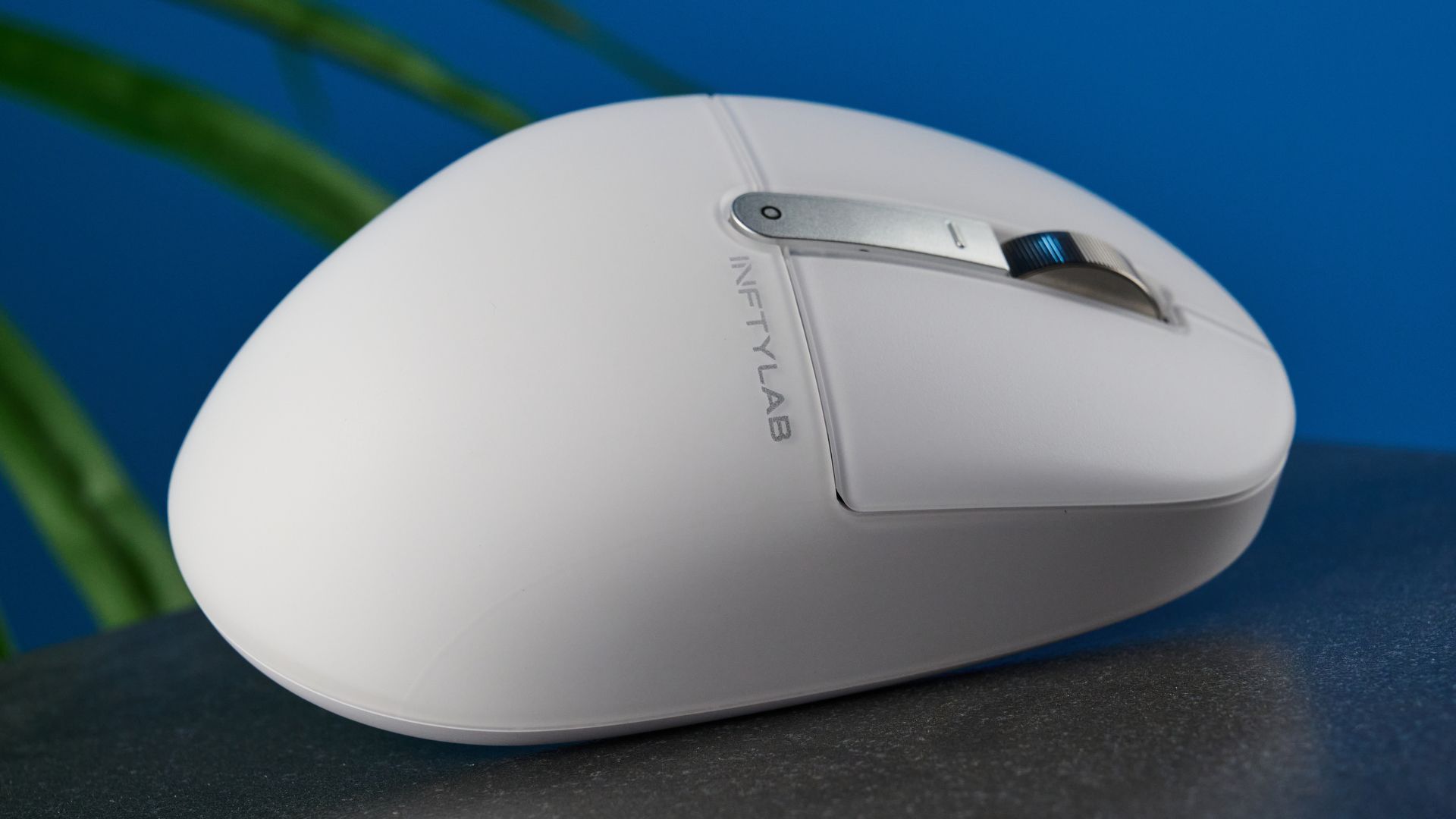
The INFTYLAB M Mouse PS01 carries an Apple-aligned aesthetic with clean lines, smooth plastic surfaces, and a minimalist matte white shell. Weighing in at 85 grams, reviewers note that it feels noticeably lighter than desktop anchors like the 150-gram Logitech MX Master series while remaining sturdy and well-assembled. Tom's Guide highlighted that the primary left and right click switches offer a crisp tactile sensation while remaining pleasantly quiet to avoid distracting open-office colleagues. The secondary horizontal thumb wheel and main scroll wheel add functional mechanical utility, though MacHow2 noted that the magnetic USB-C wireless receiver nested in the bottom base can be tricky to extract using just your fingernails.
Performance (sensor, switches, latency)
Tracking duties are handled by an optical sensor capable of up to 6,000 DPI. Tom's Guide reported smooth, fluid cursor tracking across multiple display setups with rapid switch responsiveness. Over the 2.4 GHz wireless USB-C receiver and wired USB-C connections, the mouse communicates at a 1,000 Hz polling rate, dropping to 125 Hz over standard Bluetooth. Macworld found cursor response accurate for everyday office and creative work, but noted that assigning the horizontal thumb wheel to canvas zooming resulted in a jumpy, stepped action in Safari and image editing compared to the seamless fluidity of a physical Apple trackpad.
Battery life and connectivity
Power comes from an internal 500 mAh lithium-ion battery, with BenQ rating endurance between 60 and 90 days depending on connection type and intensity of use. Reviewers frequently praised the positioning of the USB-C charging port at the front tip, allowing users to plug in the included cable and keep working without interruption—a pointed contrast to Apple's Magic Mouse, which places its port underneath the base. Connectivity includes Bluetooth for pairing with up to three devices, an included 2.4 GHz USB-C dongle with a USB-A adapter for low-latency connections, and wired USB-C. MacHow2 reported reliable, seamless device switching via the base toggle.
Software and customization
Customization is handled by the INFTYLAB Glide software as well as a web-based setup utility. Users can program shortcuts to trigger macOS-specific features such as App Exposé, Mission Control, desktop switching, and horizontal timeline navigation. A standout feature noted by reviewers is that customized assignments are stored directly in the mouse's onboard memory. This allows the programmed shortcuts to persist when connecting to locked-down corporate Macs where installing custom utility software is forbidden. However, Macworld stressed that the hardware uses physical switches to trigger digital shortcuts rather than a capacitive touch surface, meaning multi-finger swiping and true pinch-to-zoom cannot be duplicated.
Comfort for long use
BenQ designed the PS01 around muscle-fatigue research, shaping the chassis with a raised central arch and deep thumb groove that supports palm, claw, and fingertip postures as hands reposition throughout the day. Tom's Guide found the mouse comfortable over eight-hour workdays, highlighting the thumb rest and arch support as an antidote to hand and wrist strain. Macworld and MacHow2 echoed these comfort impressions for small-to-medium hands. Both publications cautioned, however, that users with very large hands may find the 115 mm body on the short side, and left-handed workers are completely left out by the asymmetric ergonomic sculpting.
Price and value
At an MSRP of $119.99, the PS01 is positioned directly in premium desktop territory. MacHow2 and Tom's Guide observed that this puts BenQ in direct price competition with entrenched options like Logitech's MX Master line and well above Apple's standard $79 to $99 Magic Mouse. Reviewers concluded that while the price is steep for an initial brand entry, the combination of lightweight ergonomic design, native Mac workflow shortcuts, dual wheels, and onboard memory justifies the spend for desk-bound Mac users suffering from peripheral fatigue.
Is it worth the money?
The $119.99 price matches flagship ergonomic office mice; shoppers gain Mac gesture shortcuts and light ergonomics, but pay a notable premium over basic wireless options.
Also consider
- Logitech MX Master 3S
Offers an electromagnetic infinite-scroll wheel, quiet clicks, and a larger ergonomic frame better suited for bigger hands at a similar price.
- Apple Magic Mouse
Costs less and features a full capacitive multi-touch surface for native gestures, though its low, flat profile often causes hand fatigue.
- Apple Magic Trackpad
The top alternative for users who require genuine multi-finger macOS gestures, Force Touch, and smooth hardware pinch-to-zoom.
Reviews we read
This roundup summarizes professional reviews and published specifications; Next Interrupt did not test the product. Roundup updated October 26, 2026. How we work
- Tom's Guide — BenQ INFTYLAB M Mouse PS01 review: Apple Magic Mouse who?
- Macworld — BenQ INFTYLAB M Mouse review: A Mac mouse with trackpad-like controls