Laptops & desktops / Review roundup
Acer Swift Air 14
Intel Core 5 320 six-core CPU with a speed of 1.5GHz and 20 TOPs (21 for the Core 7 350) and put only 8GB of RAM in the computer. At least the 512GB SSD storage is sufficient
- 4.5 / 5TechRadar
- 4 / 5Tom's Guide
- 3.5 / 5Tom's Hardware
Exceptional battery life and dual Thunderbolt ports elevate an affordable 120Hz ultraportable
The Acer Swift Air 14 is a compelling budget ultraportable for students and remote workers who prioritize all-day battery stamina and flexible connectivity above raw processing power. Its 70Wh battery lasted nearly 17 hours in lab tests, easily outpacing rivals like the MacBook Neo. The tradeoff comes in chassis rigidity, a modest 350-nit display brightness, and an un-upgradable 8GB RAM ceiling that limits heavy multitasking. For general computing under $700, however, its smooth 120Hz display and dual Thunderbolt 4 ports make it one of the most practical Windows options around.
Buy it if
- Students and mobile workers needing genuine all-day battery endurance
- Users who want modern Thunderbolt 4 connectivity on a sub-$700 budget
- Everyday productivity tasks such as document editing, web browsing, and video calls
Skip it if
- You run heavy photo or video rendering software that requires more than 8GB of RAM
- You regularly work outdoors under bright, direct sunlight
- You plan to play modern 3D PC games
Where to buy
We may earn a commission from purchases or qualifying sign-ups through our links. Affiliate links explained
What reviewers liked
- Class-leading battery endurance lasting 16 hours and 52 minutes in rundown testing
- Two high-speed Thunderbolt 4 ports plus a USB-A port
- Fluid 120Hz refresh rate on the 16:10 display
- Slim, lightweight aluminum chassis weighing just 2.62 pounds
- Fast charging reaches 50 percent capacity in 30 minutes
What they didn’t
- Soldered 8GB of RAM cannot be expanded and throttles heavy workflows
- Keyboard deck and lid exhibit noticeable flex under firm pressure
- Screen peaks at 350 nits, trailing brighter rival panels
- Significant pre-installed bloatware requires uninstallation out of the box
Key specs
- Launch price
- $699
- Reported price
- $649 to $699
- Launch Price
- $699
- Processor
- Intel Core 5 320 (6 cores, up to 4.6 GHz, 20 TOPS NPU)
- Graphics
- Intel Graphics
- Memory
- 8GB LPDDR5 (soldered)
- Storage
- 512GB PCIe NVMe SSD
- Display
- 14-inch IPS, 1920 x 1200, 16:10, 120Hz, 350 nits, 100% sRGB
- Battery Capacity
- 70Wh
- Weight
- 2.62 lbs (1.19 kg)
- Dimensions
- 12.36 x 8.77 x 0.52 inches (314 x 223 x 13.3 mm)
- Ports
- 2x Thunderbolt 4 (USB-C), 1x USB-A 3.2 Gen 1, 3.5mm audio jack
In depth
Design, build and portability
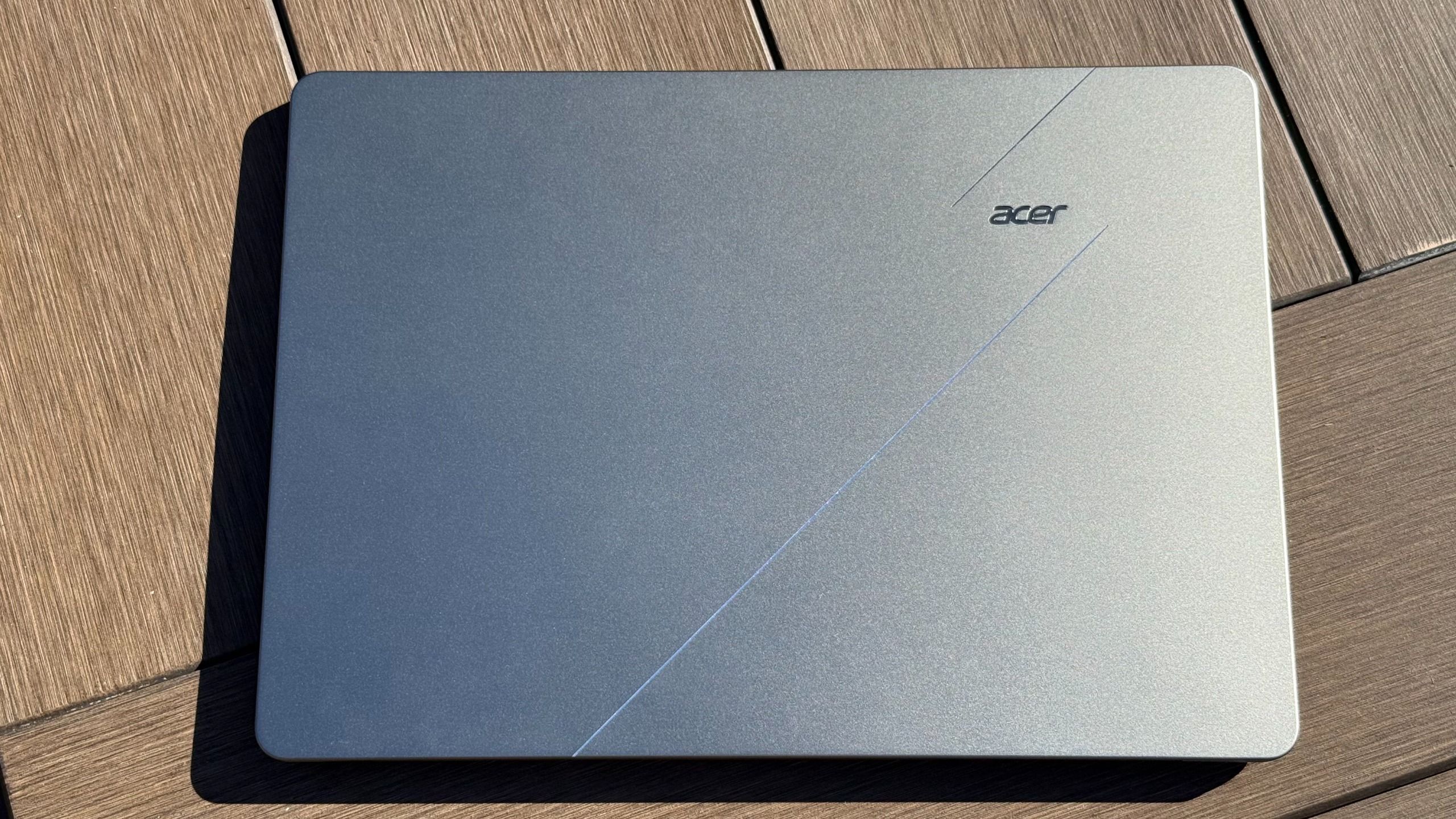
Acer packages the Swift Air 14 in an all-aluminum body measuring 0.52 inches thick and weighing 2.62 pounds (1.19 kg). Reviewers at Tom's Guide and TechRadar praised its minimalist look and light footprint, noting that it easily slips into a commuter backpack. The lid features a 180-degree hinge that can lay completely flat. However, Tom's Hardware and Tom's Guide observed noticeable chassis flex on both the keyboard deck and lid when pressing down, falling short of the sturdier feel found on Apple's MacBook Neo and Dell's XPS 13. In the United States, it is sold in sage green, while additional pastel shades are available in select international markets.
Display
The laptop is fitted with a 14-inch IPS LCD panel featuring a 16:10 aspect ratio and a 1920 x 1200 resolution. Its headline specification is a 120Hz refresh rate, which reviewers noted delivers noticeably smoother window scrolling and cursor movements than the standard 60Hz displays typical at this price tier. The panel delivers 100 percent sRGB color gamut coverage with an anti-glare finish. The main limitation pointed out by Tom's Hardware is its 350-nit peak brightness. While sufficient for indoor classrooms and offices, it washes out in strong direct sunlight, where the MacBook Neo's 500-nit panel holds a clear advantage.
Performance in everyday and demanding work
Equipped with Intel's Core 5 320 processor—part of the Wildcat Lake line featuring two performance cores and four efficiency cores—the Swift Air 14 manages general everyday computing with ease. Tom's Guide reported responsive behavior when managing office documents, juggling browser tabs, and streaming 4K video. The integrated NPU provides 20 TOPS for lightweight on-device AI acceleration. However, heavy workloads expose the ceiling of both the CPU architecture and the soldered 8GB RAM. Video transcoding in Handbrake ran acceptably for an entry chip, but gaming and intensive 3D rendering are out of reach; Tom's Guide recorded under 5 fps in Borderlands 3 and observed stability issues in heavier 3D benchmarks.
Battery life
Battery endurance is the laptop's standout strength, powered by a large 70Wh battery pack. In Tom's Guide and Tom's Hardware standardized testing—which consists of continuous web surfing and video streaming over Wi-Fi at 150 nits of brightness—the Swift Air 14 clocked an exceptional 16 hours and 52 minutes. That runtime comfortably beat both the Dell XPS 13 (14 hours and 26 minutes) and the MacBook Neo (13 hours and 26 minutes). TechRadar similarly reported that the machine could stretch across roughly two full workdays of typical office duties. Acer's fast charging replenished roughly 50 percent of the battery within 30 minutes.
Keyboard, trackpad, speakers and webcam
The chiclet keyboard includes standard white backlighting and decent key travel, though typing with excessive force can cause the surrounding deck to bounce slightly. The smooth precision trackpad responds reliably to multi-finger Windows gestures. Tom's Guide found the 1080p webcam serviceable for basic calls but noticeably grainy in lower ambient lighting, though it includes a physical privacy shutter. TechRadar noted that the quad stereo speakers with DTS:X Ultra deliver crisp dialogue for video conferences, but lack bass depth for music. Reviewers across multiple outlets also criticized Acer for bundling intrusive bloatware, specifically frequent McAfee pop-up notifications.
Ports and upgradeability
Connectivity is substantially broader than on typical budget ultraportables. On the left flank, the Swift Air 14 provides two Thunderbolt 4 USB-C ports that support high-speed data, DisplayPort video output, and Power Delivery charging. The right flank houses a 10Gbps USB-A 3.2 Gen 1 port and a 3.5mm audio jack. TechRadar noted a mild ergonomics complaint that both USB-C connections sit on the left edge rather than being divided between both sides. Regarding maintenance, the 8GB of LPDDR5 system memory is soldered to the motherboard and cannot be upgraded, but the internal 512GB M.2 PCIe NVMe SSD can be replaced if larger storage is needed later.
Price and configurations
The Acer Swift Air 14 launched at $699 in the United States and £699 in the United Kingdom for the base configuration with the Intel Core 5 320 CPU, 8GB of RAM, and a 512GB SSD. While select overseas markets offer an upgraded configuration with an Intel Core 7 350 and 12GB of RAM for around £1,049, North American availability has centered around the $699 base model, which frequently sees retail promotions down to approximately $649.
Is it worth the money?
Aggressively priced against sub-$1,000 rivals, offering rare perks like Thunderbolt 4 and a 70Wh battery, though an 8GB RAM ceiling limits longevity for power users.
Also consider
- Apple MacBook Neo
Provides faster single-core performance and a brighter 500-nit display for $599, but is limited to a 60Hz refresh rate and slower, mismatched USB ports.
- Dell XPS 13 (2026)
Uses the same Core 5 320 platform in a more rigid chassis with an optional high-resolution touchscreen, though it costs more.
Reviews we read
This roundup summarizes professional reviews and published specifications; Next Interrupt did not test the product. Roundup updated November 5, 2026. How we work
- Tom's Guide — Acer Swift Air 14 review: An excellent budget laptop with battery to beat
- TechRadar — Acer Swift Air 14 review: small, light, and lasts a long time at an exceptional price
- Tom's Hardware — Acer Swift Air 14 review: Wildcat Lake and lots of ports at $699