Which tradeoff works for you?
Match size and panel to your room and work. Refresh specifications and HDR support do not establish measured brightness, contrast or motion quality.
No shared measurement establishes a winner for this priority. Use the reported features and review tradeoffs below to narrow the choice.
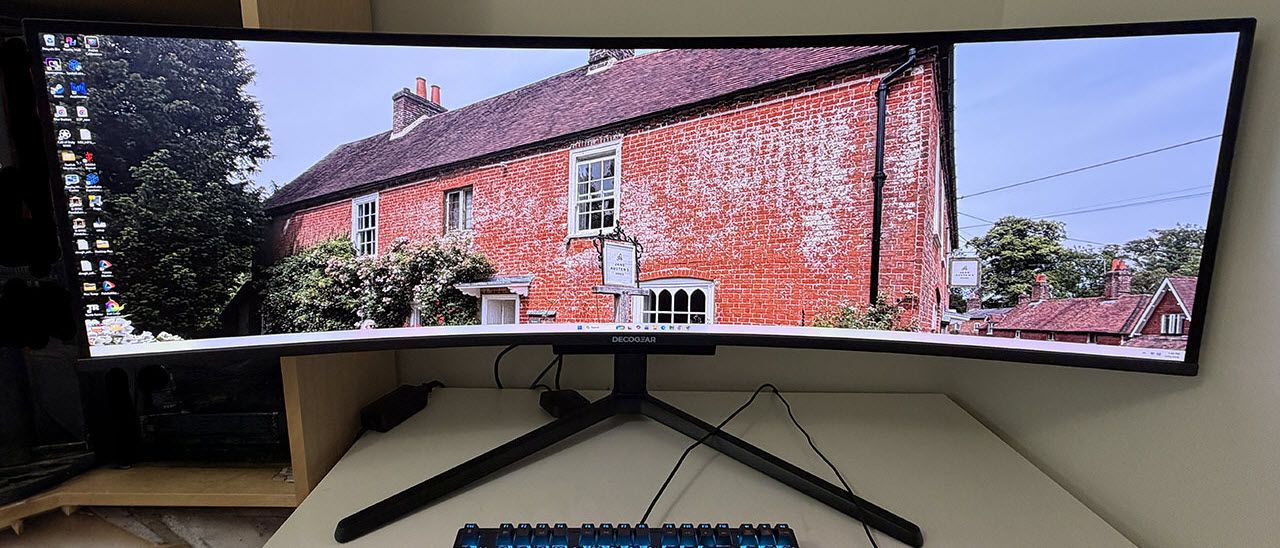
Deco Gear DG49OLED240
Who it suitsPeople checking screen size, room lighting and work or entertainment needs
Reported features for screen & picture
Details for this priority aren’t available yet. Check the manufacturer’s specifications before buying.
Tradeoff to weigh
Tom’s Hardware · Unintuitive Joystick Navigation
What reviewers found
Tom’s Hardware · Low Input Lag
The panel delivers exceptionally quick control response, registering lower input latency than other tested 49-inch 32:9 displays.
Tom’s Hardware ↗Tom’s Hardware · Enhanced Audio Output
Equipped with stereo speakers and an integrated 10-watt woofer, the display produces fuller bass and clear, realistic sound.
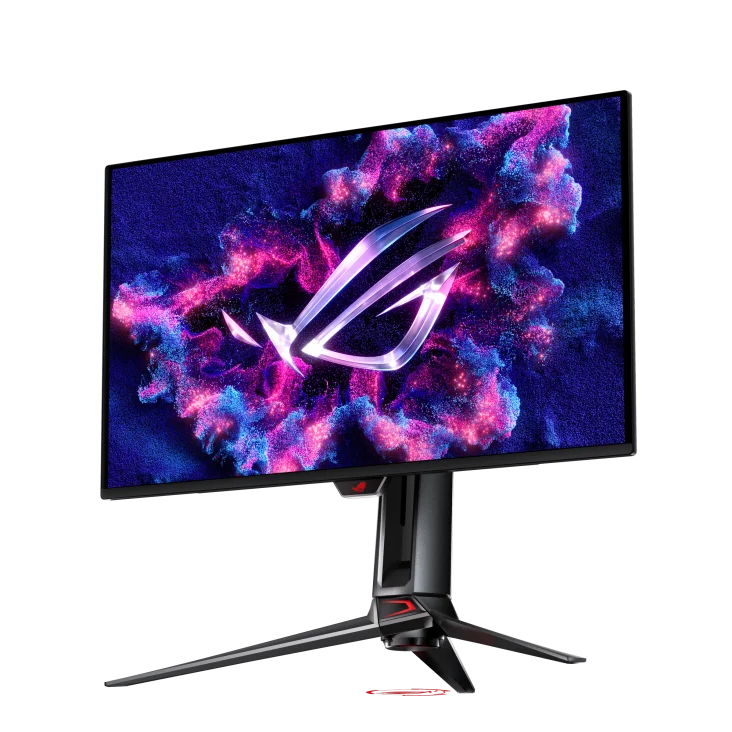
Tom’s Hardware ↗ASUS ROG Swift OLED PG27UCDM
Who it suitsHigh-end PC gaming with dense 4K detail
Reported features for screen & picture
- Panel family
- QD-OLED
- Screen size
- 27 inches
- Resolution
- 3840 × 2160
Tradeoff to weigh
OLED care, ambient-light behavior and a high purchase price
What reviewers found
The brightest HDR number is not the whole picture
TFTCentral measured a peak of 1,012 nits in Console HDR mode, but found mid-to-light shades too dark in larger bright scenes. True Black 400 tracked the intended brightness more accurately, with a lower peak around 462 nits. Choose the mode for the picture you prefer, rather than the largest advertised number.
TFTCentral ↗What RTINGS found
RTINGS observes variable-refresh flicker in changing frame-rate scenes; this describes its sample and conditions, not every game session.
RTINGS ↗Does the price gap buy something you need?
Enter the prices you can buy at to compare the real premium. A launch price or a higher model number does not establish better value.
0 specification differences0 matching specifications0 tests comparing these models23 specifications to check
What actually changes
Specifications reported for every selected model. A difference does not automatically mean better.
No confirmed specification differences in the available coverage.
Measured differences
Compare results from the same test and settings.
We don’t have matching benchmark results for these models yet. Compare their features and review findings above.
Specifications to check (23 fields)
Some details are missing or differ between sources. Check them before buying.
- Panel family · Deco Gear DG49OLED240: not reported
- Screen size · Deco Gear DG49OLED240: not reported
- Resolution · Deco Gear DG49OLED240: not reported
- Refresh rate · Deco Gear DG49OLED240: not reported
- HDR formats · Deco Gear DG49OLED240: not reported
- DisplayPort · Deco Gear DG49OLED240: not reported
- Max Resolution and Refresh Rate · ASUS ROG Swift OLED PG27UCDM: not reported
- Native Color Depth and Gamut · ASUS ROG Swift OLED PG27UCDM: not reported
- Panel Thickness · ASUS ROG Swift OLED PG27UCDM: not reported
- Pixel density · Deco Gear DG49OLED240: not reported
- Screen Size / Aspect Ratio · ASUS ROG Swift OLED PG27UCDM: not reported
- HDMI · Deco Gear DG49OLED240: not reported
- USB-C · Deco Gear DG49OLED240: not reported
- Weight · ASUS ROG Swift OLED PG27UCDM: not reported
- Power Consumption · ASUS ROG Swift OLED PG27UCDM: not reported
- Warranty · ASUS ROG Swift OLED PG27UCDM: not reported
- Audio · ASUS ROG Swift OLED PG27UCDM: not reported
- Contrast · ASUS ROG Swift OLED PG27UCDM: not reported
- Device sharing · Deco Gear DG49OLED240: not reported
- OLED care · Deco Gear DG49OLED240: not reported
- Response Time (GTG) · ASUS ROG Swift OLED PG27UCDM: not reported
- Speakers · ASUS ROG Swift OLED PG27UCDM: not reported
- Video Inputs · ASUS ROG Swift OLED PG27UCDM: not reported
We don’t have matching benchmark results for these models yet. Compare their specifications and review findings above.