

Chrome 157 for Googlebook rolling out with 27 new features, improvements
Chrome 157 widely rolled out last week, and Google is now sharing the extensive changelog for Googlebook OS.
via 9to5GoogleReported by 2 outlets
The story so far
AI summary of the reporting below · Updated · How we work
Google released Chrome 157 for Googlebook OS, introducing five major features alongside 22 desktop fixes. The release follows the broader launch of Chrome 157 and brings crucial interface improvements to Google's platform, which arrived for consumers earlier in the fall. Users get enhanced tab management, improved navigation in Settings, and refined file-saving options. [1][2]
The update focuses heavily on vertical tabs by adding an auto-expand option enabled by default, which temporarily pops open a collapsed rail when hovered over with a trackpad or mouse. Users who disable auto expansion can manually resize the sidebar to display longer page titles, a width preference that Chrome remembers across windows and reboots. Additionally, individual Settings sections now feature dedicated URLs with Back and Forward button support, video presentations through tools like Google Meet gain a persistent tab-sharing control bar, and system Save As dialogs are now active by default. [1][2]
The remaining 22 fixes address day-to-day desktop quirks across the system. Chrome 157 introduces a standard desktop text-editing menu when right-clicking the address bar, reveals full URLs with parameters via Ctrl+L, and opens downloaded PDFs directly in browser tabs. Other improvements resolve freezing issues when closing third-party Google Sign-In prompts, restore external monitor selection in Google Slides, and improve bookmarks bar behavior during screen sharing. [1][2]
Chrome 157 widely rolled out last week, and Google is now sharing the extensive changelog for Googlebook OS.
via 9to5Google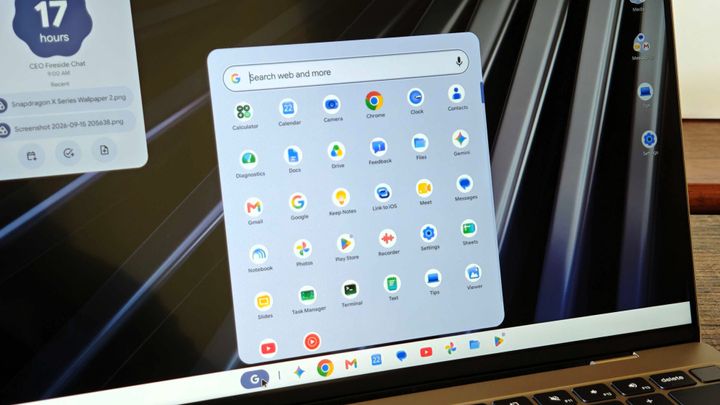
Chrome 157 for Googlebooks is here with smarter tabs and a handful of useful improvements.
via Android Central