Laptops & desktops / Review roundup
Microsoft Surface Laptop Ultra
RTX Spark N1X with a 20-core CPU and 6,144 CUDA cores, 32GB of RAM, a 1TB SSD, and Windows 11 Pro
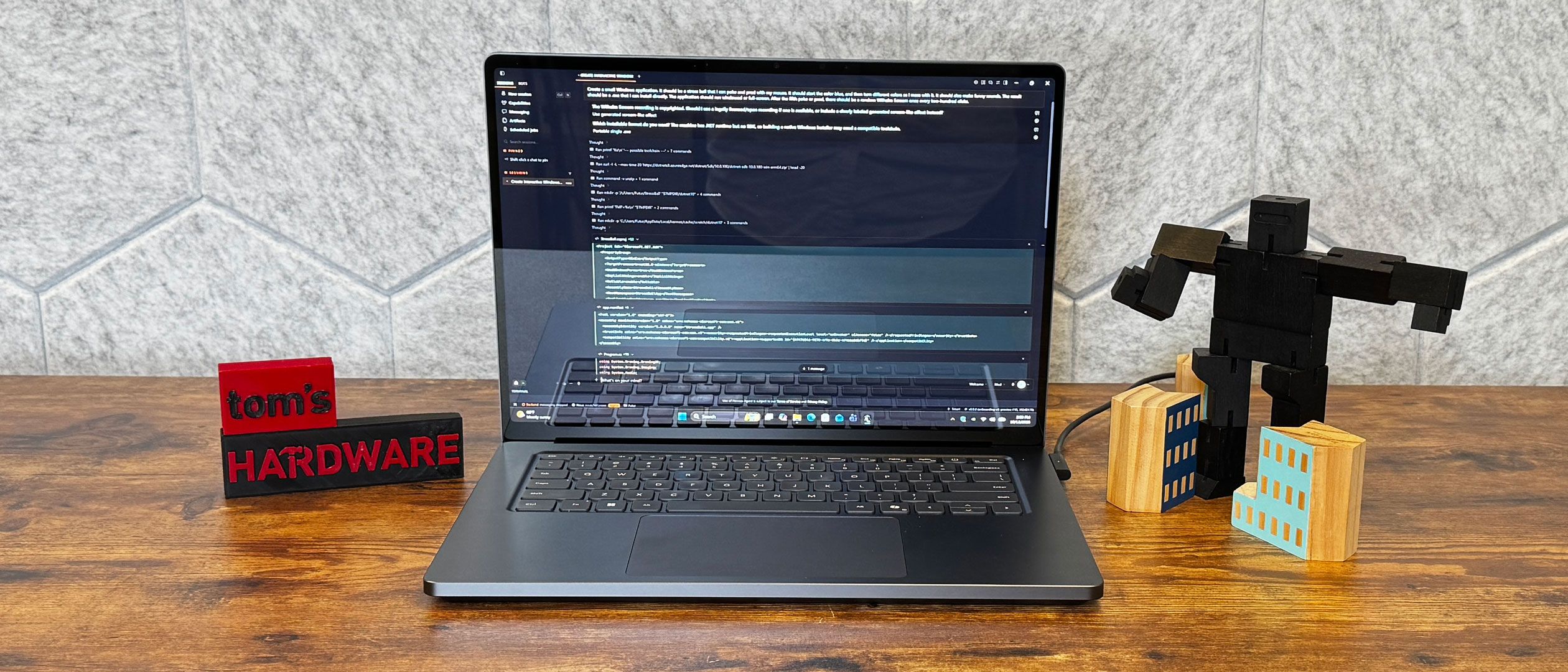
- 7/10WIRED
A lavish local AI workstation with record screen brightness held back by high pricing and middling battery life
The Surface Laptop Ultra is designed for AI researchers, developers, and creative professionals who need substantial on-device CUDA compute in a premium portable form factor. Its standout quality is the combination of desktop-class local inference speeds and an exceptionally bright 15-inch mini-LED touchscreen. However, high pricing, significant fan noise, and unaddressed stability quirks under heavy floating-point loads make it hard to justify for typical workloads. Against the Apple MacBook Pro 16, it delivers true native CUDA and touch support, but falls considerably short in battery efficiency and thermal restraint.
Buy it if
- Machine learning engineers running 30B+ parameter models locally via CUDA
- Creative professionals wanting a record-bright 120Hz mini-LED touchscreen
- Developers seeking native Windows on Arm workstations with heavy multi-core throughput
Skip it if
- You prioritize all-day battery life away from a power outlet
- Your primary use case is competitive PC gaming requiring kernel anti-cheat
- You only require standard office productivity and cloud-based AI tools
Where to buy
We may earn a commission from purchases or qualifying sign-ups through our links. Affiliate links explained
What reviewers liked
- Remarkably bright mini-LED screen reaching nearly 1,000 nits in SDR testing
- Runs large local LLMs at high speeds via unified memory and CUDA acceleration
- High-grade aluminum chassis with an accurate, comfortable haptic trackpad
- Clever Magnetic Connect charging cable detaches safely like Apple MagSafe
- Serviceable M.2 2280 solid-state drive with accessible internal labeling
What they didn’t
- Battery life of 10 to 12 hours falls well short of MacBook Pro competitors
- Kernel-level anti-cheat compatibility blocks several major online multiplayer games
- Noticeable fan noise under heavier processing and local AI tasks
- Isolated sudden power-off cutouts reported during prolonged floating-point stress tests
- Extremely high pricing across all configurations
Key specs
- Launch price
- $2,599.99 (base 18-core / 24GB / 512GB)
- Reported price
- $2,999.99 to $3,699.99 for tested 20-core / 32GB / 1TB tier; up to $5,899.99 for 128GB
- Starting Price
- $2,599 ($2,999 to $3,699 for tested 20-core 32GB/1TB configuration)
- Processor
- NVIDIA RTX Spark N1X (20-core Grace Arm CPU, 10 cores / 20 threads)
- Graphics
- NVIDIA Blackwell architecture, 6,144 CUDA cores
- Memory
- 32GB unified LPDDR5X-9400
- Storage
- 1TB PCIe Gen 5 NVMe SSD (user-replaceable M.2 2280)
- Display
- 15-inch PixelSense Ultra mini-LED touch (3270 x 2180, 3:2, 24–120Hz)
- Weight
- 4.50 lbs (2.04 kg)
- Battery & Charger
- 140W USB-C fast charger with Magnetic Connect
- Operating System
- Windows 11 Pro
In depth
Design, build and portability
The Surface Laptop Ultra abandons the dual-hinge folding design of earlier Studio machines for a rigid, conventional clamshell enclosure crafted from CNC-machined anodized aluminum. Reviewers universally praise the structural rigidity, noting that the chassis feels as premium and dense as Apple's aluminum notebooks. At 4.5 pounds (2.04 kg), however, it is relatively heavy for a 15-inch machine. Tom's Hardware notes the extra heft is the practical consequence of housing dual-fan cooling tuned for up to 110W peak system power. While the footprint fits comfortably in a standard backpack, users accustomed to featherweight ultraportables will quickly feel the bulk during extended commutes.
Display
The 15-inch PixelSense Ultra touchscreen is one of the brightest panels ever measured on a notebook. Tom's Hardware recorded 944 nits of SDR brightness on its light meter—well over the 529 nits typical of MacBook Pro SDR levels—while PCWorld measured a peak of 792 nits in SDR mode. In HDR content, independent testers noted peaks approaching 1,945 nits. The panel features a sharp 3270 x 2180 resolution at a productivity-friendly 3:2 aspect ratio, alongside a dynamic refresh rate spanning 24Hz to 120Hz. Reviewers found text crisp and motion fluid, though some outlets cautioned that the glossy glass front produces reflections in sunlit rooms.
Performance in everyday and demanding work
Equipped with the 20-core Grace CPU and 6,144-core Blackwell graphics, multi-threaded output is formidable. StorageReview found the N1X led nearly every multi-threaded CPU benchmark against rival Intel and AMD x64 laptops by 30 percent or more. Local AI execution represents its primary advantage: StorageReview clocked a 35-billion-parameter coding model at 89 tokens per second, and developers could allocate unified memory dynamically to CUDA without hitting discrete VRAM limits. In gaming, Atlabyte found Cyberpunk 2077 ran up to 20 percent faster than on an M5 Max at 1080p medium settings. However, Windows on Arm emulation and kernel-level anti-cheat barriers mean titles like League of Legends and Valorant do not run. Crucially, StorageReview experienced sudden, hard power-off crashes across two separate review units during heavy all-core double-precision OpenBLAS workloads, indicating platform firmware teething issues under sustained compute stress.
Battery life
Battery performance is acceptable for standard mixed office tasks, but it trails the longevity set by Apple's ARM-based MacBook lineup. Tom's Hardware recorded 10 hours and 43 minutes in its standard battery test on the 32GB model, while Atlabyte logged roughly 12 hours under light productivity routines. Microsoft's internal continuous video playback test achieved up to 14 hours at 150 nits. However, heavier local workloads drain the cell substantially faster: Silicon AI News highlighted that sustained local inference on large language models consumed approximately 10 percent of total charge in just 10 minutes. WIRED concluded that while it comfortably survives a working day away from the wall, users running GPU-heavy tasks must keep the charger nearby.
Keyboard, trackpad, speakers and webcam
Input hardware earns strong marks across reviews. Tom's Guide highlighted the large glass trackpad as the best haptic implementation currently available on a Windows laptop, praising its uniform response and customizable click feedback. The keyboard retains Surface's signature quiet travel and springy tactile feedback, making long typing sessions effortless. Audio output from the multi-driver speaker array offers crisp highs and noticeable low-end warmth without distortion at higher volumes. The front-facing webcam features a 1080p sensor supported by infrared cameras for rapid Windows Hello facial authentication.
Ports and upgradeability
Port selection includes high-bandwidth USB-C ports with Thunderbolt 4 / USB4 capabilities alongside a 3.5mm combo headphone jack. Microsoft also introduced a magnetic breakaway mechanism dubbed Magnetic Connect, which uses a standard USB-C profile that snaps free cleanly when snagged, functioning like Apple's MagSafe while retaining standard USB-C utility. The included 140W charging brick is compact. For maintenance, ServeTheHome confirmed that the primary solid-state storage uses an industry-standard M.2 2280 format that remains accessible for repairs and replacements. Memory, however, is unified on-package LPDDR5X and cannot be upgraded after purchase.
Price and configurations
The Surface Laptop Ultra is an expensive investment. The base configuration starts at $2,599, featuring a cut-down 18-core N1X CPU, 5,120 CUDA cores, 24GB of unified RAM, and a 512GB SSD. Stepping up to the 20-core CPU with 6,144 CUDA cores and 32GB of RAM with 1TB of storage retails between $2,999 and $3,699 depending on retail promotions and Windows 11 editions. Maximum workstation tiers configured with 128GB of unified memory command steep figures reaching $5,899. Reviewers agree that for pure office productivity, standard business laptops provide vastly superior value.
Is it worth the money?
The price reflects workstation-grade unified memory and local AI capability; ordinary office and productivity users will find standard Snapdragon or x86 machines far more economical.
Also consider
- Apple MacBook Pro 16 (M5 Pro / Max)
Offers battery life exceeding 18 hours, cooler running temperatures, and a mature ARM app ecosystem, though it lacks native CUDA support and a touchscreen.
- HP OmniBook Ultra 16 (RTX Spark)
An alternative RTX Spark platform featuring a 3K OLED display for local AI development at a slightly lower entry cost.
- Surface Laptop 7 (Snapdragon X Elite)
Provides much longer battery life, lighter weight, and ample productivity speed for less than half the starting price if local AI inference is not needed.
Reviews we read
This roundup summarizes professional reviews and published specifications; Next Interrupt did not test the product. Roundup updated October 19, 2026. How we work
- Tom's Hardware — Microsoft Surface Laptop Ultra review: RTX Spark in a straight-up beautiful Windows PC
- StorageReview — Microsoft Surface Laptop Ultra for Business Review: RTX Spark N1X Runs a 35B-Parameter Coding Agent at 89 Tokens per Second, With One Major Caveat
- Tom's Guide — I broke up with my MacBook Pro for Microsoft Surface Laptop Ultra — RTX Spark surprised me
- WIRED — Microsoft Surface Laptop Ultra Review: The First Real AI PC
- PCWorld — Microsoft Surface Laptop Ultra review: A monster AI laptop with a monster price
- ServeTheHome — Microsoft Surface Laptop Ultra Review