Laptops & desktops / Review roundup
Microsoft Surface Laptop Ultra
128GB LPDDR5X
- 4/5Windows Central
- 3.5/5Tom's Hardware
- 6/10The Verge
A massive unified-memory Windows workstation built for local AI, hampered by battery life and cost
The 128GB configuration of the Microsoft Surface Laptop Ultra is designed specifically for AI developers, machine learning researchers, and 3D technical artists who need to run 30-plus-billion-parameter models locally with CUDA support on Windows. Its greatest strength is its unified memory pool, pairing an Nvidia Grace CPU and Blackwell GPU with up to 96GB of assignable graphics RAM in a portable chassis. The catch is a steep $5,899 launch price, loud cooling fans under load, and battery life that tops out around 10 to 11 hours. Against the Apple MacBook Pro 16, the Surface provides a touchscreen and native CUDA libraries, but it falls short of Apple's 18-to-24-hour battery endurance and silent operation.
Buy it if
- AI researchers and software engineers running large LLMs locally without cloud API fees
- Technical 3D creators who need CUDA acceleration and substantial graphics memory on Windows
- Power users looking for a rigid aluminum Windows chassis with an expansive haptic trackpad
Skip it if
- You need all-day battery endurance away from a desk
- You play competitive PC games that depend on kernel-level x86 anti-cheat software
- You do not require local machine learning acceleration or tens of gigabytes of VRAM
Where to buy
We may earn a commission from purchases or qualifying sign-ups through our links. Affiliate links explained
What reviewers liked
- Up to 128GB unified memory allows assigning up to 96GB directly to the GPU for local models
- Mini-LED PixelSense Ultra screen reaches 2,000 nits peak HDR brightness with 120Hz refresh
- Breakaway Magnetic Connect USB-C port adds trip safety to a standard charging interface
- Full selection of physical ports including HDMI 2.1, full-size SD reader, and USB-A
- Large precision haptic trackpad and comfortable, responsive keyboard
What they didn’t
- Battery life of 10 to 11 hours in web tests lags far behind competitive Apple silicon
- Cooling fans produce noticeable noise, and extreme all-core FP64 workloads can cause thermal throttling
- Windows on Arm Prism translation cannot run certain games due to anti-cheat incompatibilities
- High $5,899 price tag for the 128GB unified memory configuration
Key specs
- Launch price
- $5,899.99 ($2,599.99 base)
- Reported price
- $5,899.99
- Processor
- Nvidia RTX Spark N1X (20-core Grace Arm CPU)
- Graphics
- Nvidia Blackwell RTX GPU (6,144 CUDA cores)
- Memory
- 128GB LPDDR5X-9400 unified memory
- Storage
- 1TB removable NVMe PCIe Gen 4 SSD
- Display
- 15.0-inch Mini-LED PixelSense Ultra touchscreen, 3270 x 2180, 120Hz
- Peak Brightness
- 2,000 nits peak HDR, 1,000 nits sustained
- Weight
- 4.41 lbs (2.0 kg)
- Dimensions
- 17.99 mm (0.71 in) thick
In depth
Design, build and portability
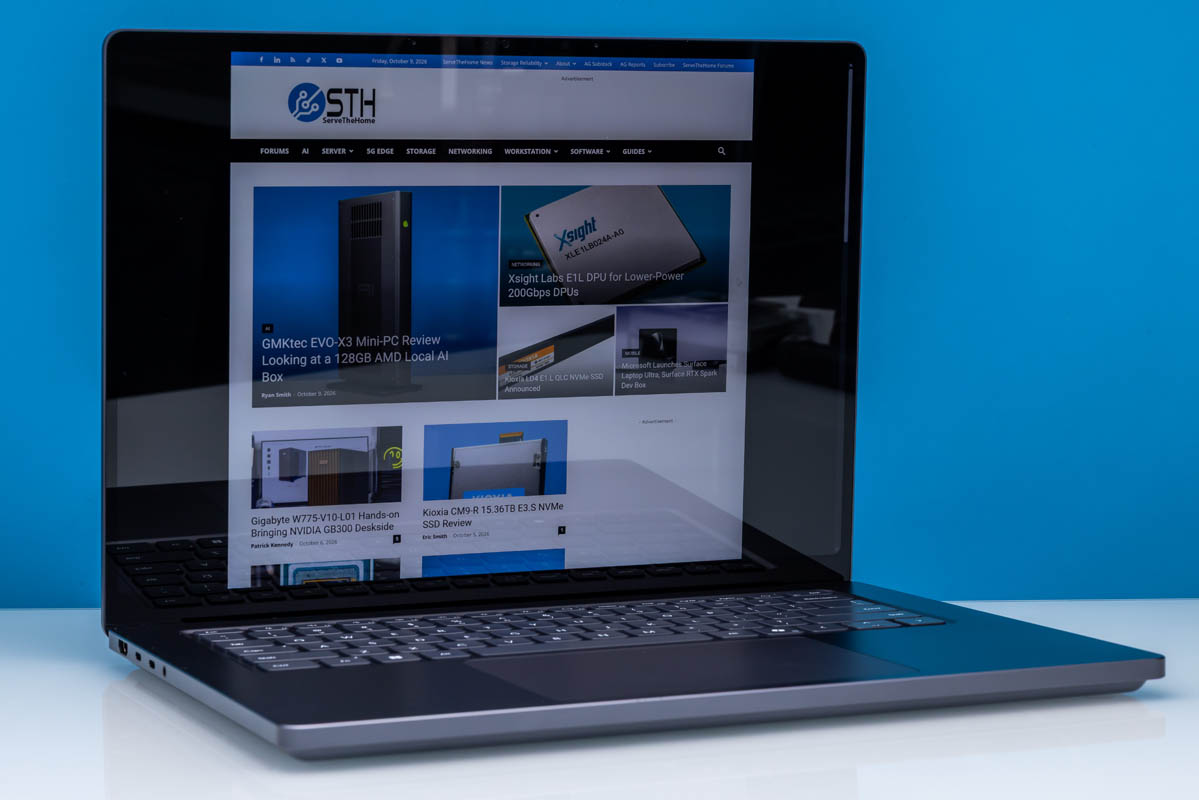
Reviewers at Tom's Hardware, Windows Central, and Tom's Guide agreed that the Surface Laptop Ultra is the most solidly constructed laptop Microsoft has released to date. Its unibody chassis is machined from CNC aluminum and is available in two finishes: Platinum and a darker Nightfall gray. Build rigidity is high, with no flex in the deck or display lid. At 4.41 pounds (2.0 kg) and 17.99 mm thick, it matches the footprint of traditional 15-to-16-inch mobile workstations. Tom's Guide noted that while it is heavy for a Surface, the heft feels intentional to house its cooling apparatus. CNET observed one minor functional quirk: the front lip lacks an indentation notch, making it somewhat cumbersome to lift the display lid with one finger.
Display
The 15-inch PixelSense Ultra touchscreen uses a 3:2 aspect ratio with a resolution of 3270 x 2180 and dynamic refresh rates up to 120Hz. Microsoft rates the panel at up to 2,000 nits peak HDR brightness and 1,000 nits sustained, which Tom's Hardware confirmed makes HDR content look exceptionally vivid. However, display feedback was not uniformly positive. CNET found the glossy cover glass highly reflective under office fluorescent lighting and observed visible blooming around bright white text against pitch-black backgrounds. Several reviewers, including The Verge and CNET, also detected slight motion trail ghosting when dragging windows quickly across the screen unless the Windows power profile was forced into Best Performance mode.
Performance in everyday and demanding work
The core draw of this configuration is Nvidia's RTX Spark N1X superchip, which pairs a 20-core Grace Arm CPU with a 6,144-core Blackwell RTX GPU and 128GB of LPDDR5X-9400 unified memory. In local AI benchmarking, StorageReview recorded 89 tokens per second when executing a 35-billion-parameter coding model (Qwen 3.6), noting that having up to 96GB of assignable graphics RAM permits loading complex models that ordinary 16GB or 24GB mobile discrete GPUs cannot fit. PCWorld logged a multi-core Geekbench score of 23,256 and 39.9 tokens per second on its local AI text generation suite. In gaming, The Verge recorded 66 frames per second in Cyberpunk 2077 and 70 fps in Black Myth: Wukong at medium settings with DLSS enabled. Reviewers noted two caveats: CNET and PCWorld discovered that Windows defaults the plugged-in power plan to Best Power Efficiency, slashing CPU performance by up to 40 percent unless manually adjusted. Additionally, StorageReview noted an intense all-core double-precision FP64 workload triggered automatic power shutdowns during extreme stress tests, and ServeTheHome highlighted that kernel-level anti-cheat engines block several competitive multiplayer titles on Windows on Arm.
Battery life
While Microsoft claims up to 15 hours of video playback and 12 hours of web browsing, independent tests placed battery endurance lower. In Tom's Hardware's battery rundown test—which loops web browsing, streaming video, and OpenGL scripts at 150 nits over Wi-Fi—the Surface Laptop Ultra achieved 10 hours and 43 minutes. CNET similarly measured around 10.5 hours of mixed productivity, while PCWorld recorded 7 hours and 57 minutes during continuous 4K video playback. Under sustained local AI inference loads, Tom's Hardware and Windows Central estimated runtime falls to under 4 hours. These figures represent usable full-day endurance for light office work, but Tom's Guide stressed that the machine trails the 18 to 24 hours produced by Apple's M5 Pro and M5 Max systems.
Keyboard, trackpad, speakers and webcam
Ergonomics received wide praise across publications. The chiclet keyboard provides deep key travel, crisp actuation, and full backlighting. The haptic trackpad is over 30 percent larger than preceding Surface models; Windows Central praised its uniform click response and haptic precision, calling it one of the finest implementations on any Windows laptop. The audio setup includes side-firing speakers that deliver clean separation and volume, though The Verge observed intermittent driver clicking or audio pops during initial boot cycles. The 1080p webcam delivers accurate color balance and sharp exposure for video calls, supported by Windows Studio Effects and an infrared sensor for Windows Hello biometric authentication.
Ports and upgradeability
The Surface Laptop Ultra includes three USB-C ports with USB4 support, one USB-A 3.2 port, an HDMI 2.1 video output, a 3.5 mm audio jack, and a full-size SD card reader. Tom's Guide highlighted the primary charging connector, dubbed Magnetic Connect, which incorporates a breakaway magnetic mechanism directly into the standard USB-C port to prevent trip hazards while preserving universal USB-C charging compatibility up to 140W. For maintenance, Tom's Hardware commended Microsoft for including laser-etched repair indicators and standard Torx fasteners inside the chassis. The M.2 NVMe SSD is user-accessible and replaceable, though the 128GB LPDDR5X memory is soldered to the board alongside the processor package.
Price and configurations
The Surface Laptop Ultra starts at $2,599 for an entry-level tier with an 18-core Grace CPU, 5,120-core Blackwell GPU, 24GB of unified RAM, and a 512GB SSD. The reviewed 128GB configuration commands a retail price of $5,899 with 1TB of storage. ServeTheHome and PCWorld emphasized that the 128GB configuration carries an enterprise-level premium. For general development, writing, or conventional productivity, the base or 32GB configurations represent far more practical pricing, whereas the $5,899 top configuration is strictly justifiable for professionals who specifically require local model fine-tuning and inference that exceed 32GB of VRAM.
Is it worth the money?
The 128GB configuration carries a substantial $3,300 premium over the base model, making it a viable purchase only for technical pros who require more than 64GB of addressable graphics memory for local machine learning workflows.
Also consider
- Apple MacBook Pro 16 (M5 Max)
Delivers nearly double the battery life (up to 24 hours) and quieter cooling, though it lacks CUDA and touchscreen input.
- HP OmniBook Ultra 16
Shares the same RTX Spark N1X chip and 128GB memory ceiling in a slightly thinner chassis with an OLED display panel.
- Dell Pro Max 16 Plus
Offers an x86 processor with a discrete Nvidia RTX Blackwell GPU, ensuring compatibility with kernel-level gaming anti-cheat tools.
Reviews we read
This roundup summarizes professional reviews and published specifications; Next Interrupt did not test the product. Roundup updated October 17, 2026. How we work
- Tom's Hardware — Microsoft Surface Laptop Ultra review: RTX Spark in a straight-up beautiful Windows PC
- StorageReview — Microsoft Surface Laptop Ultra for Business Review: RTX Spark N1X Runs a 35B-Parameter Coding Agent at 89 Tokens per Second, With One Major Caveat
- ServeTheHome — Microsoft Surface Laptop Ultra 128GB Review
- Tom's Guide — I broke up with my MacBook Pro for Microsoft Surface Laptop Ultra — RTX Spark surprised me
- ServeTheHome — Microsoft Surface Laptop Ultra Review
- WIRED — Microsoft Surface Laptop Ultra Review: The First Real AI PC
- PCWorld — Microsoft Surface Laptop Ultra review: A monster AI laptop with a monster price