Laptops & desktops / Review roundup
Microsoft Surface Laptop 13
Snapdragon X2 Plus
- 86%Notebookcheck
A whisper-quiet, long-lasting ultraportable overshadowed by Microsoft's own lineup
The Surface Laptop 13 with Snapdragon X2 Plus is an exceptionally quiet, well-built portable machine that runs cool and lasts nearly a full day away from an outlet. However, its 60 Hz display, lack of USB4 connectivity, and a steep $1,199 entry price hold it back. It makes the most sense for mobile office workers who prioritize silent operation and endurance, but Microsoft's own Surface Laptop 13.8-inch often sells for similar or lower prices while offering a 120 Hz display and broader port bandwidth.
Buy it if
- Office workers and students prioritizing silent operation and all-day battery life
- Frequent commuters who want a compact, sturdy 3:2 touchscreen clamshell
- Anyone looking for a reliable Windows-based ultraportable for web productivity
Skip it if
- You expect smooth 90 Hz or 120 Hz scrolling on a laptop costing over $1,000
- You need Thunderbolt 4 or USB4 speeds for high-bandwidth docks and external GPUs
- You rely on sustained graphical workloads or heavy x86 emulation
Where to buy
We may earn a commission from purchases or qualifying sign-ups through our links. Affiliate links explained
What reviewers liked
- Nearly silent operation with fan noise staying below 30 dB(A) under load
- Outstanding battery life reaching almost 19 hours in web browsing tests
- Premium, rigid aluminum construction weighing just 1.23 kg (2.71 lbs)
- Upgraded standard 16 GB of RAM eliminates the old 8 GB limitation
- Fast Wi-Fi 7 wireless connectivity out of the box
What they didn’t
- Display is limited to 60 Hz and suffers from noticeable glare
- Lacks USB4 and Thunderbolt support on its Type-C ports
- Costs more than the superior Surface Laptop 13.8-inch at current retail
- Internal drive access is unnecessarily tricky and RAM is soldered
Key specs
- Launch price
- $1,199 (16 GB / 256 GB); $1,299 (16 GB / 512 GB)
- Reported price
- $1,199 to $1,299
- Starting Price
- $1,199
- Processor
- Qualcomm Snapdragon X2 Plus (X2P-42-100, 6 cores up to 4.0 GHz)
- Graphics
- Qualcomm Adreno X2-45
- Display
- 13.0-inch IPS touchscreen, 1920 x 1280 (3:2), 60 Hz, 500 nits
- Memory
- 16 GB or 24 GB LPDDR5x (soldered)
- Storage
- 256 GB or 512 GB replaceable SSD (M.2)
- Battery Capacity
- 50 Wh
- Weight
- 1.23 kg (2.71 lbs)
- Dimensions
- 286 x 214 x 15.6 mm (11.26 x 8.43 x 0.61 in)
- Ports
- 2x USB-C (USB 3.2 Gen 2 / DP / PD), 1x USB-A (USB 3.2 Gen 1), 3.5 mm jack
In depth
Design, build and portability
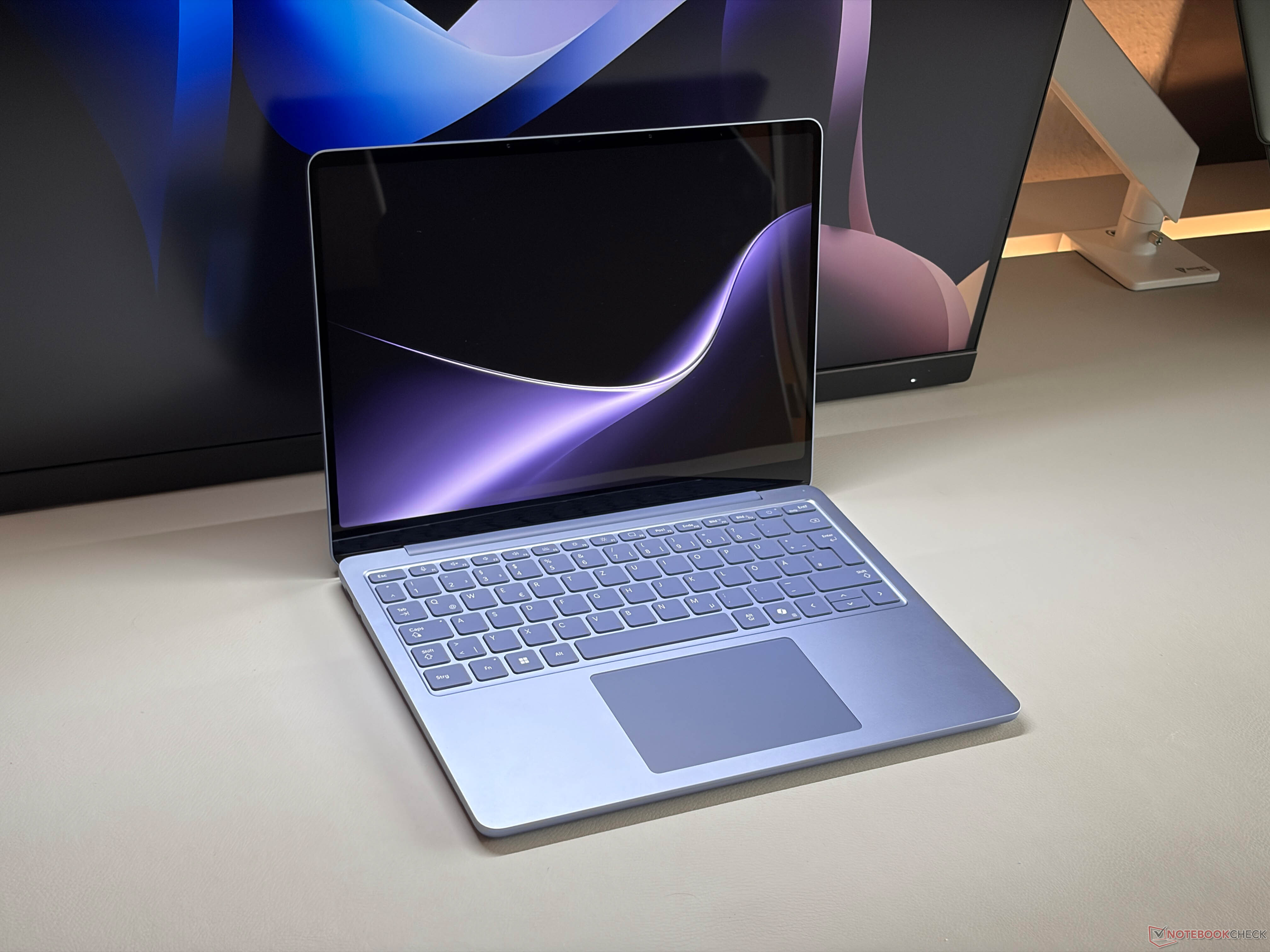
The Surface Laptop 13 retains Microsoft's signature clean, anodized aluminum chassis, available in Platinum, Black, and Violet finishes. Reviewers find the chassis torsion-resistant and sturdy, with tight tolerances and smooth hinge articulation. Measuring 15.6 mm (0.61 inches) thick and weighing 1.23 kg (2.71 lbs), it is compact enough to slide effortlessly into any commuter bag. While it contains an active cooling fan, the laptop's thermal envelope allows it to behave almost like a fanless device in practical use, remaining silent during standard office tasks and barely reaching 29.6 dB(A) under continuous load according to Notebookcheck.
Display
The 13.0-inch PixelSense IPS panel features a productivity-friendly 3:2 aspect ratio with a resolution of 1920 x 1280 (178 ppi). Notebookcheck recorded a maximum brightness of just over 500 nits, which is a welcome 25% bump over the prior generation. Color coverage covers around 95% of sRGB, ensuring solid fidelity for general office and browsing tasks. However, the screen remains capped at a 60 Hz refresh rate. Both reviewers and prospective buyers note this is disappointing for a four-figure machine, particularly when competing ultrabooks and Microsoft's own Surface Laptop 13.8-inch offer 120 Hz displays with wider P3 coverage. Strong glossy reflections can also hinder outdoor legibility despite the brightness boost.
Performance in everyday and demanding work
Powering the laptop is Qualcomm's 6-core Snapdragon X2 Plus processor (X2P-42-100), paired with an Adreno X2-45 GPU and an integrated 80 TOPS Hexagon NPU for local AI tasks. Notebookcheck observed that the chip sustains roughly 22 W under continuous multi-core load without dropping performance when running on battery. Daily productivity—including multiple browser tabs, document editing, and video streaming—feels fast and responsive. However, raw compute performance lags behind Apple's Silicon; Notebookcheck recorded Geekbench 6 multi-core scores around 12,070, well short of higher-tier silicon. Heavy gaming and GPU-intensive rendering are not recommended on this chip, but for day-to-day office workloads, it handles multitasking without hiccups.
Battery life
Endurance is easily the Surface Laptop 13's strongest asset. Microsoft rates the 50 Wh battery for up to 22.5 hours of continuous local video playback. In standardized real-world testing, Notebookcheck measured almost 19 hours (18 hours and 50 minutes) in its Wi-Fi web browsing test at 150 nits. Even at maximum brightness, the laptop delivers extensive off-plug stamina, outlasting competitors like the MacBook Air under similar web-surfing workloads by nearly three hours. Fast charging is supported via USB Type-C Power Delivery up to 45 W.
Keyboard, trackpad, speakers and webcam
Input hardware remains an area where Microsoft consistently scores high marks. Notebookcheck praises the keyboard's well-spaced layout, comfortable tactile travel, and multi-stage backlighting. The touchpad provides smooth navigation and accurate multitouch gestures, though it relies on standard precision mechanisms rather than the haptic implementation found on the larger Surface Laptop 13.8-inch. Above the display, a 1080p webcam delivers crisp video quality for conference calls and supports Windows Hello facial recognition. The integrated stereo speakers produce clear dialogue and adequate volume for personal listening, though bass response is modest.
Ports and upgradeability
Port selection includes two USB-C ports (USB 3.2 Gen 2 with DisplayPort and Power Delivery), one legacy USB-A 3.2 Gen 1 port, and a 3.5 mm headphone jack. The retention of USB-A is appreciated for older peripherals, but Notebookcheck highlights the absence of USB4 or Thunderbolt support as a noticeable missed opportunity. Wireless connectivity is cutting-edge thanks to a Qualcomm FastConnect module with Wi-Fi 7 and Bluetooth 5.4. Upgradeability is mixed: while the LPDDR5x RAM is permanently soldered to the motherboard, the internal M.2 SSD can technically be swapped, though accessing it requires tedious chassis disassembly.
Price and configurations
Microsoft launched the Surface Laptop 13 starting at $1,199 for 16 GB of RAM and 256 GB of storage, with a step-up model offering 512 GB for $1,299. Eliminating the cramped 8 GB base model is a welcome shift for long-term usability, but it also raised the starting price considerably compared to its sub-$900 predecessors. At this price point, reviewers argue that the value proposition is difficult to justify when the more capable Surface Laptop 13.8-inch (offering a 120 Hz display and USB4) regularly sells for $1,100 to $1,300.
Is it worth the money?
While offering 16 GB of RAM as standard is an improvement, the $1,199 starting price is steep given the 60 Hz display and USB 3.2 ports, especially since the superior Surface Laptop 13.8 frequently retails for less.
Also consider
- Microsoft Surface Laptop 13.8-inch
Microsoft's slightly larger sibling adds a 120 Hz display with P3 color, USB4 ports, and a haptic trackpad for comparable or lower street prices.
- Apple MacBook Air 13-inch (M3)
Delivers substantially faster single-core and multi-core processing in a completely fanless design with a less reflective display.
- Dell XPS 13 (Snapdragon X / Lunar Lake)
Provides a more modern edge-to-edge design and higher-refresh display options at a similar price point.
Reviews we read
This roundup summarizes professional reviews and published specifications; Next Interrupt did not test the product. Roundup updated November 2, 2026. How we work